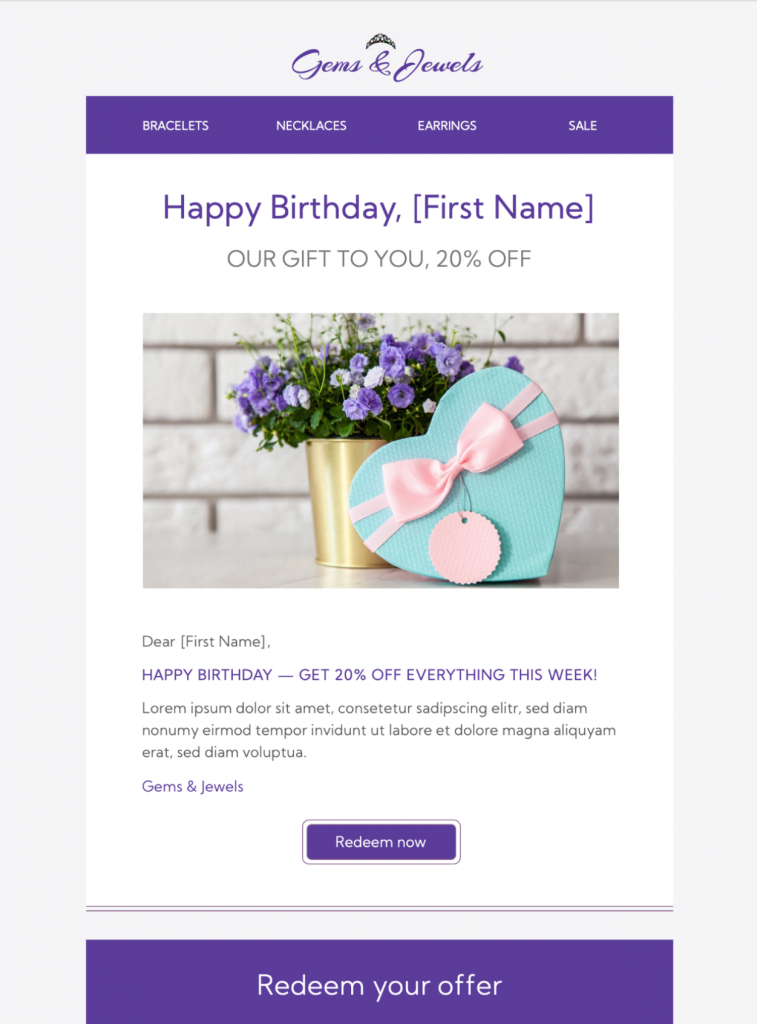
Use a Happy Birthday Offer for a Customer Gift
A birthday offer can recognize an existing customer with a discount, free item, loyalty reward, or complimentary upgrade. Keep the greeting genuine and make the benefit easy to understand. This page is for a commercial birthday gift; for a greeting-only message, use the Happy Birthday email template.
What the Birthday Offer Design Includes
The visible layout combines a colorful celebration, personalized message area, offer block, and prominent call-to-action button. Replace the sample content with your brand assets, one verified birthday benefit, and the exact redemption route. Keep important terms as live text instead of placing them only inside artwork.
Plan the Happy Birthday Offer HTML Email Template
Choose one clear birthday benefit and explain exactly how the recipient can use it. A percentage discount, free item, loyalty reward, or complimentary upgrade should include the redemption window, eligible products or locations, and any minimum purchase. Use the customer’s preferred name only when your contact data is reliable, and make the main action easy to find. State whether the benefit is single-use and account-specific. Explain whether the customer must sign in, enter a code, present the email in person, or book before a stated deadline.
Customize the Template for Your Brand
Customize the happy birthday offer HTML email template by replacing the sample message, colors, and imagery with approved brand elements in Mail Designer 365. Keep the birthday greeting warm but concise, then lead into the offer and its practical details. The preview’s celebratory layout works well for a single promotion; avoid competing buttons that distract from the primary redemption, booking, or shopping destination.
Check Accuracy, Accessibility, and Delivery
Proofread the offer code, dates, prices, links, sender name, and reply address before sending. Test the message on desktop and mobile, and confirm that the destination page shows the same birthday benefit. Follow the W3C guidance for meaningful image alternative text, keep essential conditions as live text, and send a final test to the campaign owner.