
Foire aux questions
Mon design ou formatage Mail Designer 365 est affiché incorrectement dans la vue "Edit" de Mailchimp
Quels sont les éléments à prendre en compte si j’annule mon abonnement et passe au forfait gratuit ?
Mes modèles existants continueront-ils à fonctionner et à être beaux dans Mail Designer 365 ?
If you are currently using an older version of Mail Designer and you are
concerned about losing your work if you upgrade to Mail Designer 365, don't
worry! It is super easy to import all of your previous designs from an older
version of Mail Designer. Please carry out the following steps to access your
templates:
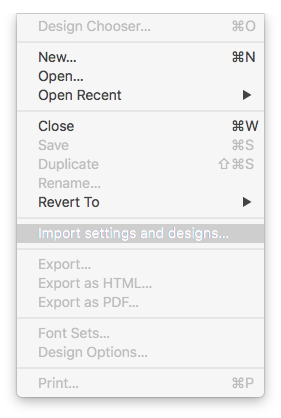
- Click on "File" > "Import settings and designs."
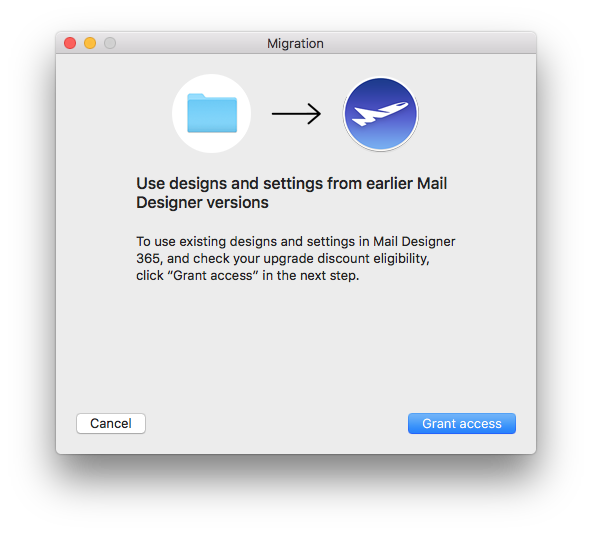
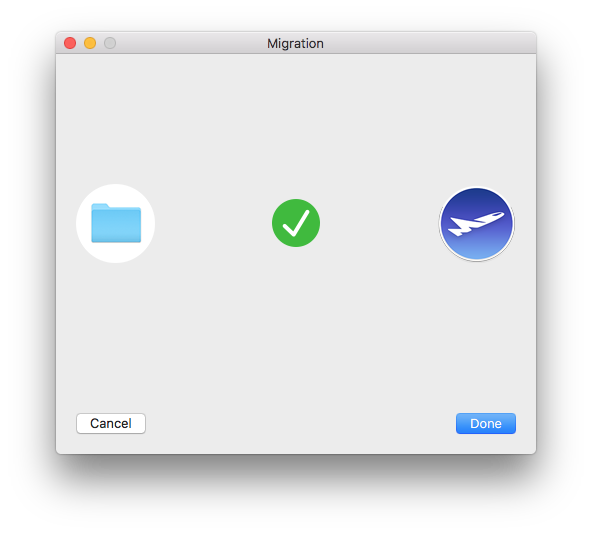
- When the migration window pops up, select "Grant access" to continue.
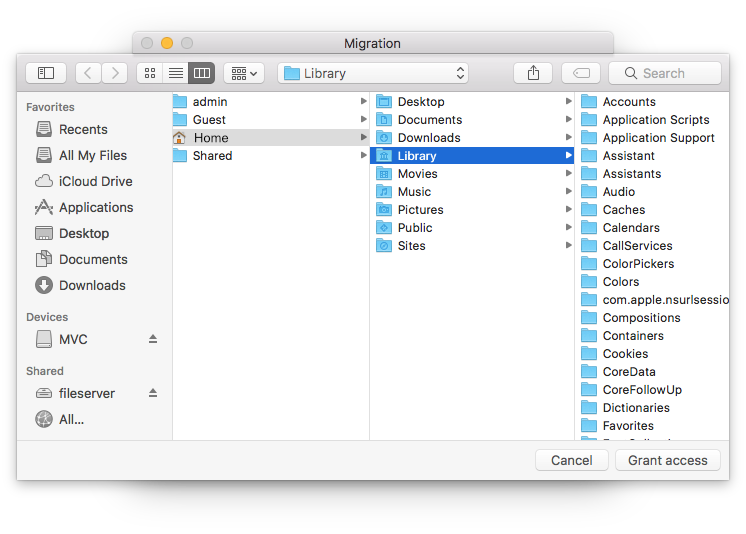
- In the next window, simply select "Grant access" again to allow Mail Designer 365 access to the design files in your Library. You do not need to select a different folder.
- Select from the list which settings you would like to copy over to Mail Designer 365 (i.e. from which version) and then click "Import selected."
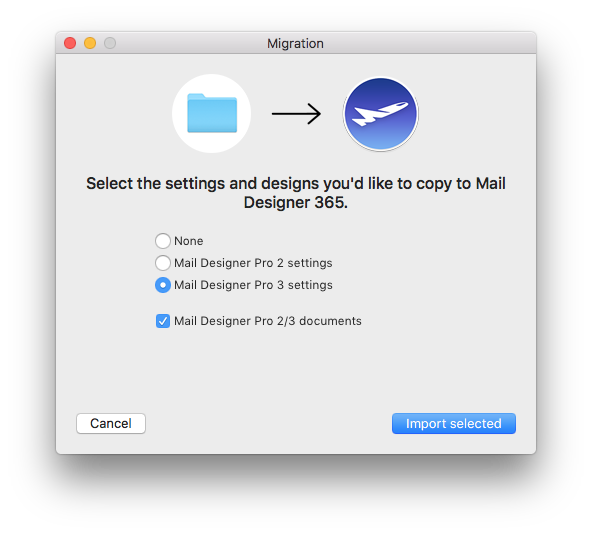
- Your designs and in-app preferences will then be quickly imported into Mail Designer 365 exactly as they were when you last used them.
Quels types d’e-mails puis-je envoyer en utilisant l’API d’intégration Mail Designer 365 FileMaker ?
Pourquoi reçois-je un message d’erreur lorsque j’essaie d’envoyer des e-mails via mon compte Gmail ?
Mon GIF se comporte différemment après l’exportation ou certaines images sont manquantes. Pourquoi ?
Mon mot de passe AOL habituel ne fonctionne pas lors de la configuration de mon compte de messagerie