
Preguntas frecuentes
¿Puedo crear un bloque de diseño con una función específica para Mail Designer 365?
Mail Designer 365 includes layout blocks for almost every newsletter layout imaginable. But if you have specific requirements, you can even create completely customized, reusable layout blocks. All you'll need is Mail Designer 365 and HTML and CSS skills.
Please note: You'll need to have a fairly detailed understanding of HTML and CSS layouts to create your own layout blocks. Mail Designer 365 uses advanced techniques to create highly compatible email layouts, so you'll need to be careful not to break email compatibility when creating your own. We can't provide HTML support for your custom designs or any issues that are caused by custom layout blocks so proceed with caution. (Or as our support team likes to say: With great power comes great responsibility…)
How to create a custom layout block
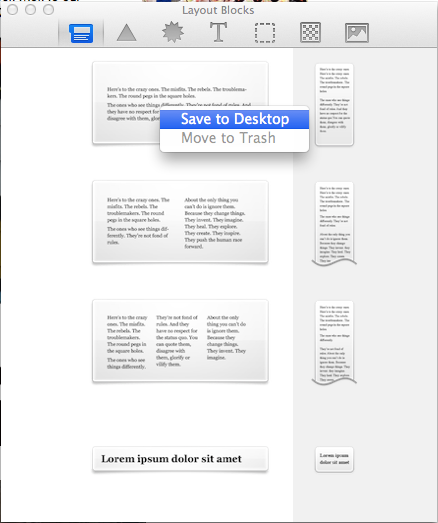
- Right click an existing layout block and choose "Save to desktop"
- Find the "..eqrmlayoutblock" on your desktop and edit the Content.html file
- Customize the preview image to match your new layout block
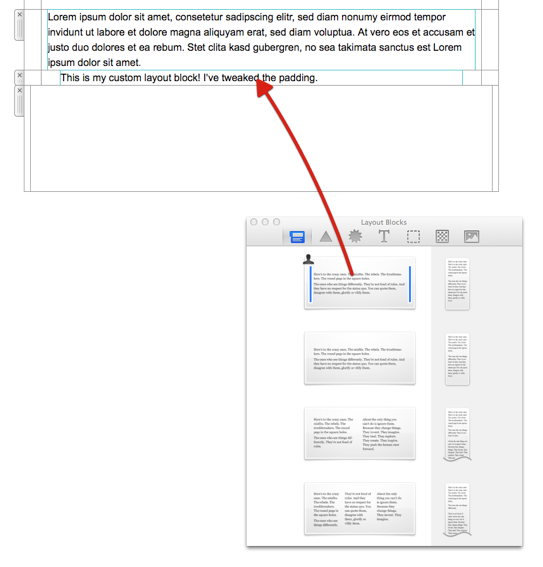
- Drag the entire folder with your custom layout block into the Mail Designer 365 Contents panel