
Preguntas frecuentes
¿Cómo puedo duplicar bloques de diseño en Mail Designer 365?
If you want to add multiple layout blocks that have similar layouts or formats, it may be easier to duplicate an existing layout block instead of choosing your font and color options once again.
There are 3 ways you can duplicate layout blocks:
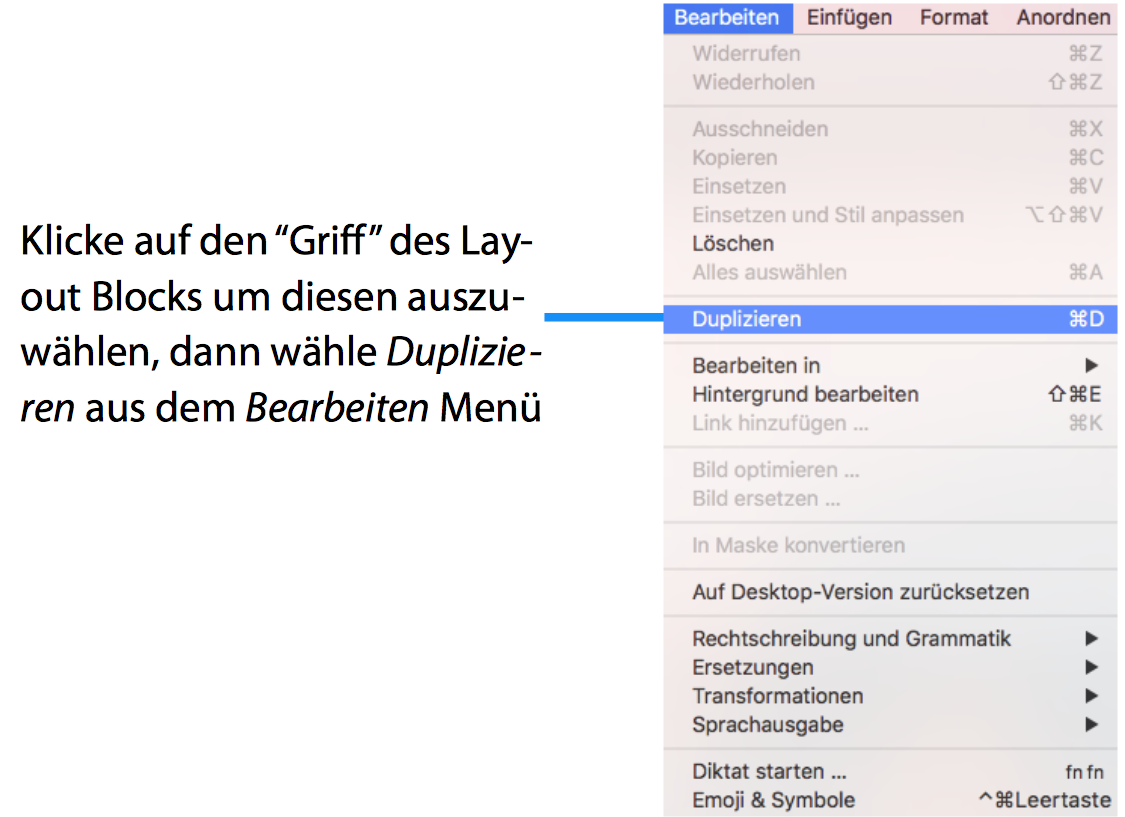
Option 1: "Edit" > "Duplicate"
‣ Click the selection tab at the side of a layout block.
‣ Choose "Edit" > "Duplicate"  from the menu bar.
Option 2: Using the layout handle
‣ Click on the layout handle on the left side of the layout block.
‣ Hold down the option key or the alt⌥ key on your keyboard.
‣ Drag the layout block that you want to duplicate.
Now, you can drop it into position to create a copy. Afterwards, you can edit your text and choose other options accordingly.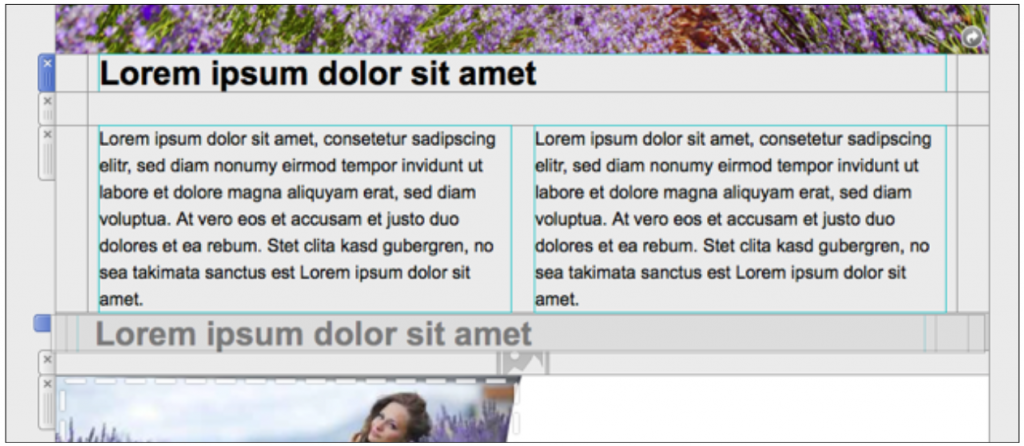
Option 3: Command⌘ D
‣ Click on the layout handle on the left side of the layout block.
‣ Press Command⌘-D on your keyboard
Please refer to the following page for a guide on how you can duplicate layout blocks: