
Frequently Asked Questions
How do I enable beta or nightly versions in Mail Designer?
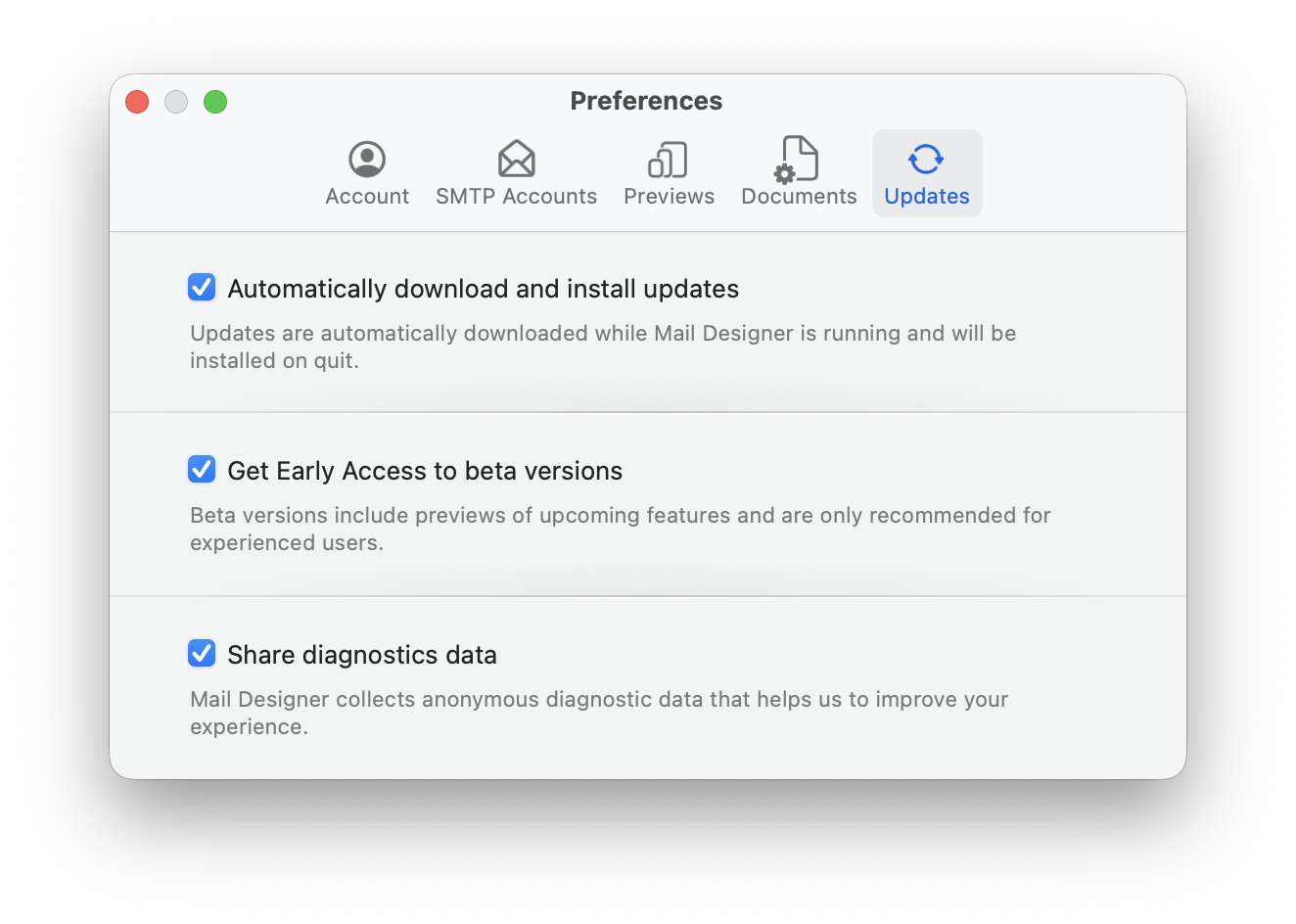
To use beta or nightly versions in Mail Designer, open Mail Designer and choose Mail Designer > Settings from the menu bar. Then switch to the Updates section.
Enable the option Load beta versions. Mail Designer will then include pre-release versions when checking for updates. If support has asked you to install a nightly version, enable the nightly option if it is shown in your Updates settings, or use the nightly link provided by support.
After changing the setting, check for updates or restart Mail Designer so the new update channel can be applied.
Beta and nightly versions include new features and fixes earlier than regular releases. They may still be in testing, so they are mainly recommended for experienced users or when the support team specifically asks you to try one.
Enable the option Load beta versions. Mail Designer will then include pre-release versions when checking for updates. If support has asked you to install a nightly version, enable the nightly option if it is shown in your Updates settings, or use the nightly link provided by support.
After changing the setting, check for updates or restart Mail Designer so the new update channel can be applied.
Beta and nightly versions include new features and fixes earlier than regular releases. They may still be in testing, so they are mainly recommended for experienced users or when the support team specifically asks you to try one.