
Frequently Asked Questions
Why does my Internet stop working after connecting to my VPN?
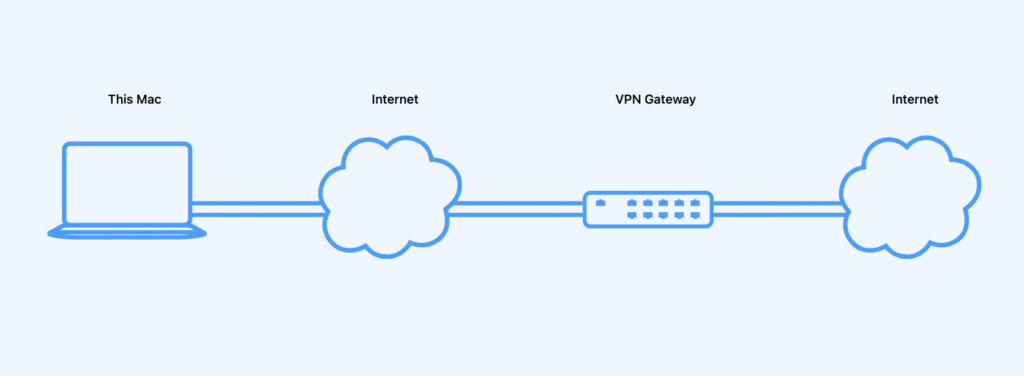
If VPN Tracker connects successfully but regular internet access outside the VPN stops working, the connection is probably sending too much traffic through the VPN.
In most cases, only the company network should use the VPN. Regular internet traffic should continue to use your local internet connection. In VPN Tracker, you can set this up with Traffic Control.
In VPN Tracker, choose which internal addresses should use the VPN:
- Open VPN Tracker and edit the affected connection.
- Go to Setup > Advanced Settings.
- Open the Traffic Control section.
- Choose Only send traffic for the following addresses over VPN.
- Enter the internal company network, for example 192.168.10.0/24.
- Save the connection and reconnect.
Ask your IT team for the remote network or company network that should be reached through the VPN. Typical values look like 192.168.10.0/24, 10.0.0.0/24, or 172.16.0.0/16.
If you do not have this value, your IT team can usually copy it from the FortiClient or Fortinet gateway configuration.
FortiClient is probably already using split tunneling or receiving the right routing instructions from the Fortinet gateway. VPN Tracker needs the same information: which internal networks should use the VPN, and which traffic should go directly to the internet?
Also check whether remote DNS should only be used for internal names. Incorrect DNS settings can also prevent websites outside the VPN from opening.
If you are unsure, open VPN Tracker and choose Help > Contact Support. This can include relevant connection and diagnostic information.

In most cases, only the company network should use the VPN. Regular internet traffic should continue to use your local internet connection. In VPN Tracker, you can set this up with Traffic Control.
In VPN Tracker, choose which internal addresses should use the VPN:
- Open VPN Tracker and edit the affected connection.
- Go to Setup > Advanced Settings.
- Open the Traffic Control section.
- Choose Only send traffic for the following addresses over VPN.
- Enter the internal company network, for example 192.168.10.0/24.
- Save the connection and reconnect.
Ask your IT team for the remote network or company network that should be reached through the VPN. Typical values look like 192.168.10.0/24, 10.0.0.0/24, or 172.16.0.0/16.
If you do not have this value, your IT team can usually copy it from the FortiClient or Fortinet gateway configuration.
FortiClient is probably already using split tunneling or receiving the right routing instructions from the Fortinet gateway. VPN Tracker needs the same information: which internal networks should use the VPN, and which traffic should go directly to the internet?
Also check whether remote DNS should only be used for internal names. Incorrect DNS settings can also prevent websites outside the VPN from opening.
If you are unsure, open VPN Tracker and choose Help > Contact Support. This can include relevant connection and diagnostic information.