
Frequently Asked Questions
Why does the desktop show one font and on iPhone another font?
When you send an email template, not every font that you choose may be available at the recipient's side. This is why you can specify a fallback font list, and we recommend that you use an email-safe font.
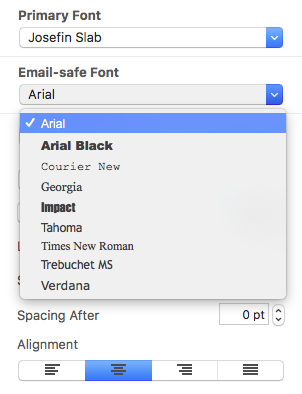
Email-safe fonts are the basic fonts installed on everyone's devices. If you have selected a font that is available on macOS but not on iOS, there will be a visible difference on the corresponding devices. If both devices have the font installed, then the email template will look the same on both platforms. You can use Web Fonts which the recipient's e-mail client can downloaded on demand. Most e-mail clients except Outlook support Web Fonts.
Email-safe fonts are the basic fonts installed on everyone's devices. If you have selected a font that is available on macOS but not on iOS, there will be a visible difference on the corresponding devices. If both devices have the font installed, then the email template will look the same on both platforms. You can use Web Fonts which the recipient's e-mail client can downloaded on demand. Most e-mail clients except Outlook support Web Fonts.
Need support on email design issues in Mail Designer 365? Invite us and we'll help you troubleshoot!
I’m a FileMaker developer. How can I handle billing with my client? What does my client need to pay?