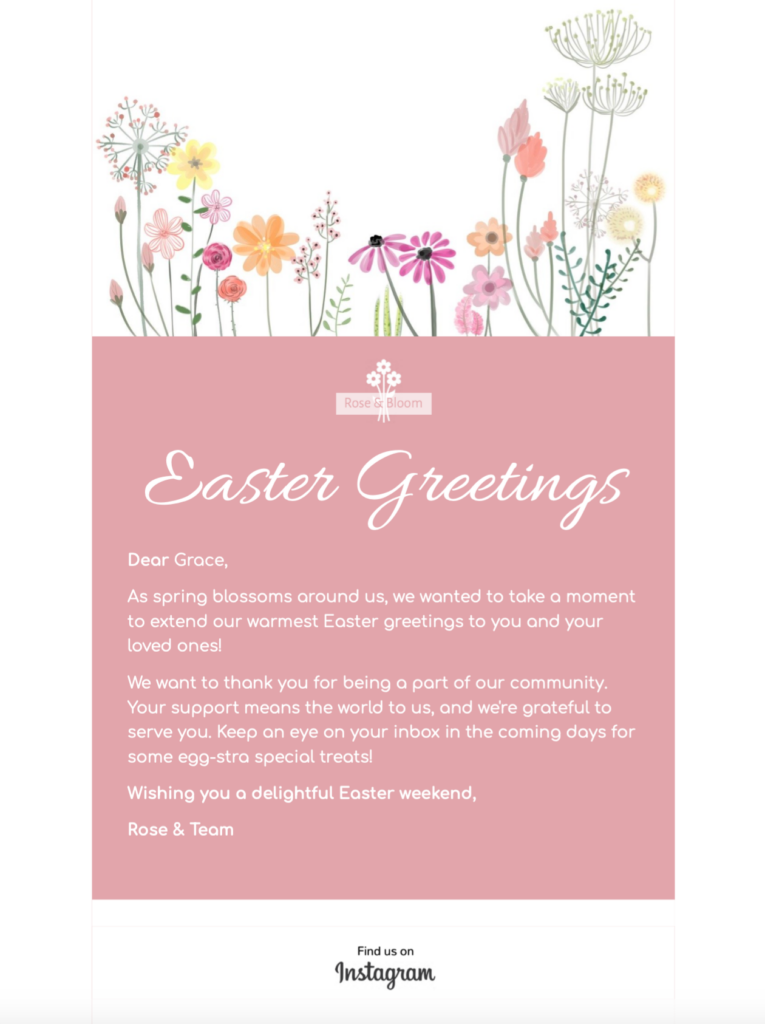
Easter Greetings Email for the Right Audience
Use this Easter greetings email template to share a warm seasonal message with customers, members, donors, guests, or colleagues. The floral design works best when the greeting reflects the relationship you already have with the reader. Choose a friendly, community-focused, appreciative, or faith-aware tone intentionally instead of sending the same wording to every list.
1. Choose One Clear Easter Message
Decide whether the campaign is primarily a greeting, a thank-you, an event reminder, or a commercial announcement. Keep that purpose visible in the headline and opening paragraph. If you also include an offer, separate it clearly from the greeting so recipients can understand both the sentiment and the action without searching through the email.
2. Write Inclusive and Specific Copy
Match the language to your organization and audience. A retailer may thank customers and mention holiday opening hours; a nonprofit may focus on community; a church or faith-based group may use explicitly religious wording. Avoid assumptions about how every recipient celebrates. Proofread names, dates, event details, locations, delivery deadlines, and promotional terms before approval.
3. Pair the Subject Line and Preview Text
Write the subject line and preview text as one compact message. Put the essential context first, keep the wording accurate, and avoid repeating the same phrase in both fields. For example, the subject can introduce the Easter greeting while the preview text supplies the event date, offer deadline, or short expression of thanks.
4. Keep the Floral Design Accessible
Replace sample imagery only with approved assets that support the message. Keep important information as live text, add useful alternative text to meaningful images, and confirm that foreground and background colors remain readable. Follow the W3C guidance for clear, concise content. The email should still communicate its purpose when images are blocked.
5. Check the Mobile Reading Order
Preview the Easter email design on desktop and mobile. Make sure the greeting, key details, and primary action appear in a logical order on a narrow screen. Use short paragraphs, descriptive links, and a button label that tells the reader what happens next. Avoid placing two competing calls to action next to each other.
6. Match Every Link to Its Destination
Confirm that event links open the correct registration page, store links show the advertised products, and any donation or booking link leads to the matching campaign. Add tracking parameters consistently, remove expired destinations, and test discount codes or forms from a logged-out browser. The landing page should repeat the same dates, terms, and visual cues used in the email.
7. Send a Real Inbox Test
Send the finished Easter greetings email to representative desktop and mobile inboxes. Review the sender name, subject line, preview text, image loading, links, personalization, footer, privacy information, and unsubscribe path. Ask a second reviewer to check the final dates and wording. Save the approved version as a reusable seasonal master only after the test message passes.
This checklist turns a decorative Easter message template into a focused campaign that is considerate, accurate, accessible, and ready to send.
Ready to send your Easter email?
You've got your email template, now it's time to send! Schedule and send emails in Delivery Hub.