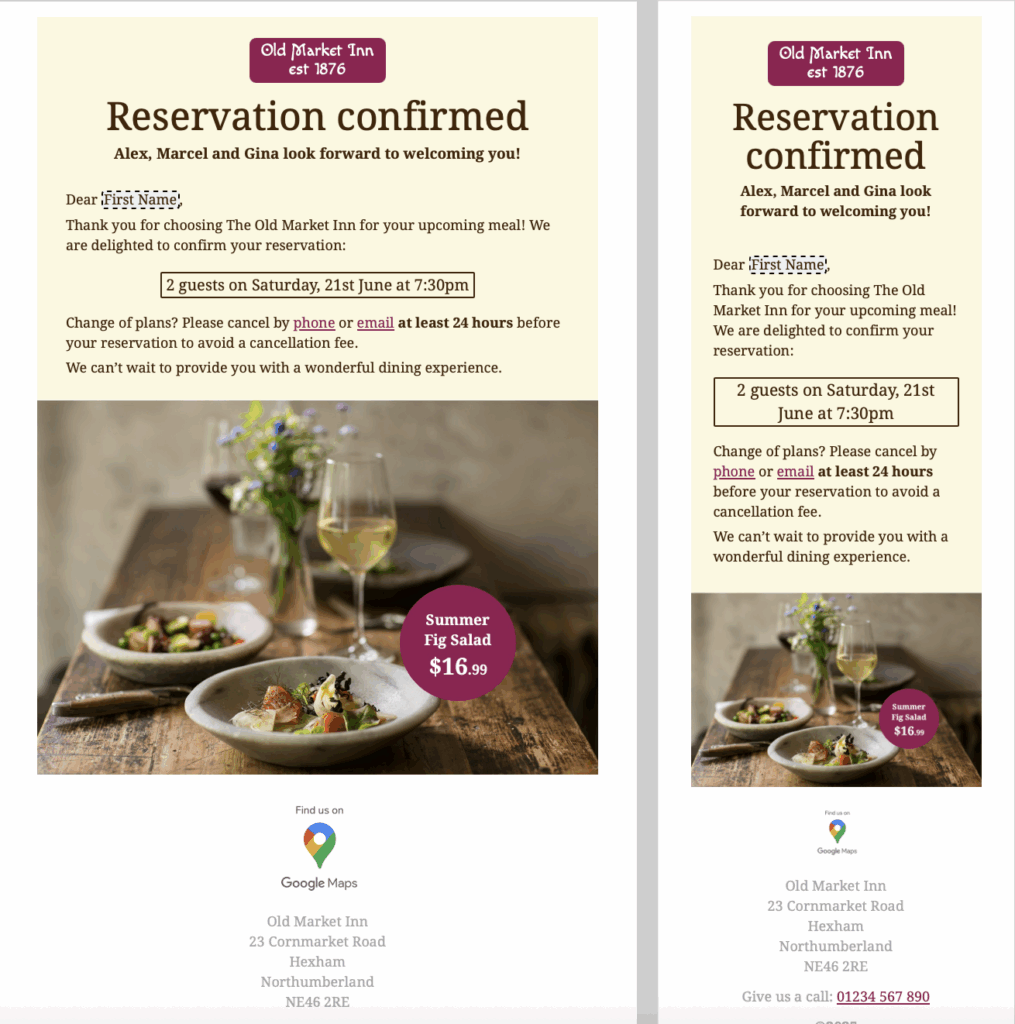
What to include in a restaurant reservation email template
This restaurant reservation email template is intended for restaurants, pubs, cafés, and hospitality groups confirming a guest booking immediately after it is made. It provides a practical starting point in Mail Designer 365 while leaving the wording, branding, links, and campaign details under your control.
Essential information to include
Before sending, check the booking date and time, party size, venue address, reservation name or reference, arrival guidance, contact details, and accurate cancellation or modification instructions. Keep the most important information near the beginning and make every date, condition, address, and destination specific to the recipient’s situation.
Design strengths for this campaign
The template uses a polished confirmation layout that keeps practical booking information prominent while still giving the restaurant’s brand and hospitality message a strong presence. Its responsive structure helps the core message remain readable across common screen sizes, while editable content areas make it suitable for a branded campaign.
Customize the template in Mail Designer 365
When customizing this restaurant reservation email template, use the drag-and-drop tools to apply the restaurant’s colors and typography, add a logo or venue image, personalize the greeting, and connect contact or booking-management links to the correct destination. Preview the finished email on desktop and mobile, test every link, and send a proof before delivering the campaign to your audience.
Review the finished email before sending
Read the message once from the recipient’s perspective. Confirm that the sender name is recognizable, the subject and preview text match the content, personalization has a sensible fallback, and the main action leads to the intended page. Check spelling, dates, times, prices, offer conditions, and contact information. A test send should also confirm that the design remains readable when images are blocked and that important information is available as text.
Make the message easy to use
Use descriptive button text, readable type sizes, sufficient color contrast, and concise image alt text guided by the W3C image decision tree. Do not place essential dates, instructions, or offer conditions only inside an image. Keep the reading order logical and avoid several competing buttons. These choices help recipients understand the campaign quickly and make the template more resilient across different email apps and accessibility settings.
Use this restaurant reservation email template as a focused starting point and keep the final version centered on one use case and one primary action. Clear information and a recognizable sender are more useful than adding unrelated sections simply to make the email longer.