
Frequently Asked Questions
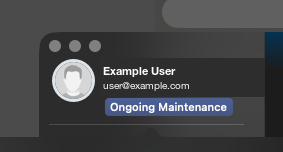
Why does Mail Designer show “Ongoing Maintenance” even though I have an active license?
Mail Designer can no longer renew your sign-in session. The accompanying “Ongoing Maintenance” message does not necessarily mean that maintenance is taking place or that your license has expired.
You can sign in again without closing your document or signing out.
1. Click “Cancel” in the error dialog. Keep your document open and do not sign out.
2. Open “Sign in again” in Mail Designer by clicking this link: Sign in again. You can also copy the link into the Safari address bar and press Return. Allow your browser to open Mail Designer if prompted.
3. Sign in with the same account, then try saving to TeamCloud again.
The link opens the sign-in window directly without running the sign-out command.
You can sign in again without closing your document or signing out.
1. Click “Cancel” in the error dialog. Keep your document open and do not sign out.
2. Open “Sign in again” in Mail Designer by clicking this link: Sign in again. You can also copy the link into the Safari address bar and press Return. Allow your browser to open Mail Designer if prompted.
3. Sign in with the same account, then try saving to TeamCloud again.
The link opens the sign-in window directly without running the sign-out command.