Build the Campaign Around One Travel Decision
Use this travel email newsletter template for a destination launch, a new itinerary, a seasonal departure, or a carefully selected collection of tours. Lead with the trip that matters most to the audience and explain the practical reason to consider it now, such as confirmed travel dates, a new route, or a clearly stated booking period. Keep the opening focused so readers understand the destination and next step before they scroll.
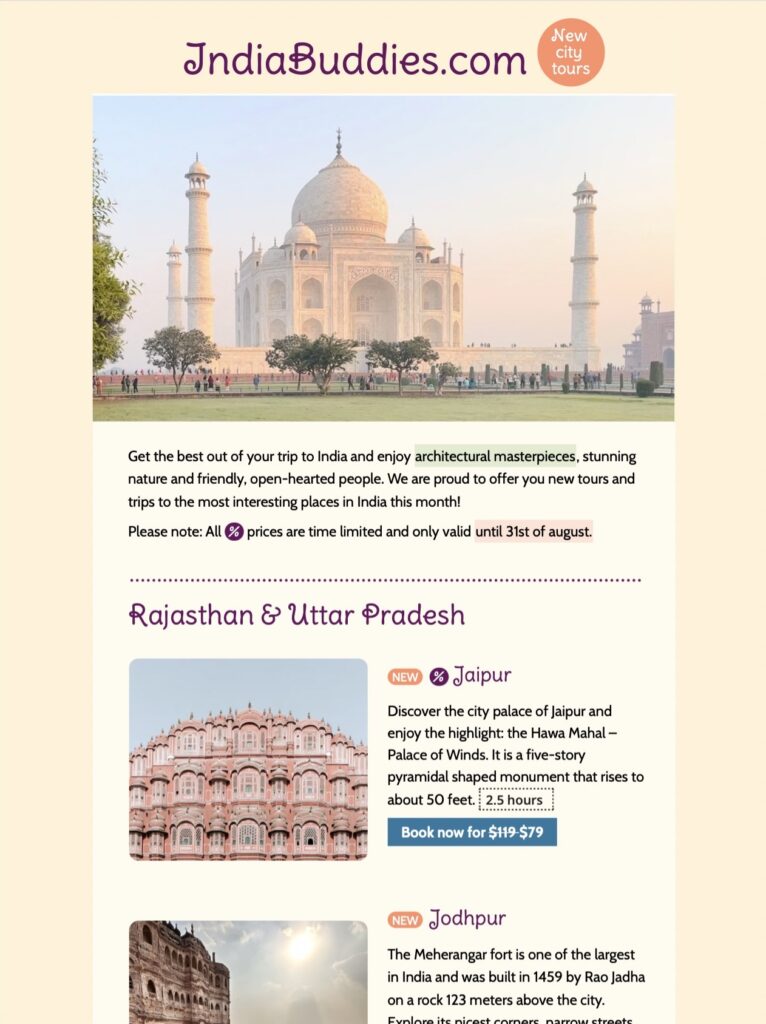
The preview combines a landmark image with separate tour stories for Jaipur and Jodhpur. Replace those examples with destinations that are genuinely available and use photographs that accurately represent the experience. Avoid combining unrelated regions or offers merely to fill the layout.
Include Essential Trip and Booking Details
State the travel dates, trip length, departure point, group size, price basis, and what is included. Link to the full itinerary, accommodation details, accessibility information, visa or entry guidance, and booking conditions when those resources apply. If prices, schedules, or availability can change, say so clearly and include the date on which the offer was checked.
Use accurate scarcity language. A confirmed limited departure can be described as such, but vague urgency should not replace useful information. Make the main booking or enquiry button easy to identify and keep secondary links for maps, FAQs, or destination guides.
Customize the Travel Email Newsletter Template
In Mail Designer 365, adapt the logo, colors, route highlights, destination modules, and calls to action while keeping the visual hierarchy simple. Short captions can connect each image to a specific tour or story. Use concise alternative text for meaningful destination images; the W3C image decision tree helps determine when an image needs descriptive alt text and when it is decorative.
Test the Enquiry and Booking Journey
Preview the campaign on desktop and mobile, then send test messages to several inboxes. Check every date, currency, phone number, itinerary link, and booking button. Follow the complete path from the email to the enquiry or reservation confirmation, including unavailable dates and error messages, so recipients do not encounter a dead end after choosing a trip.