Professional Invitations for the Biggest Game of the Year with our Super Bowl Party Email Template
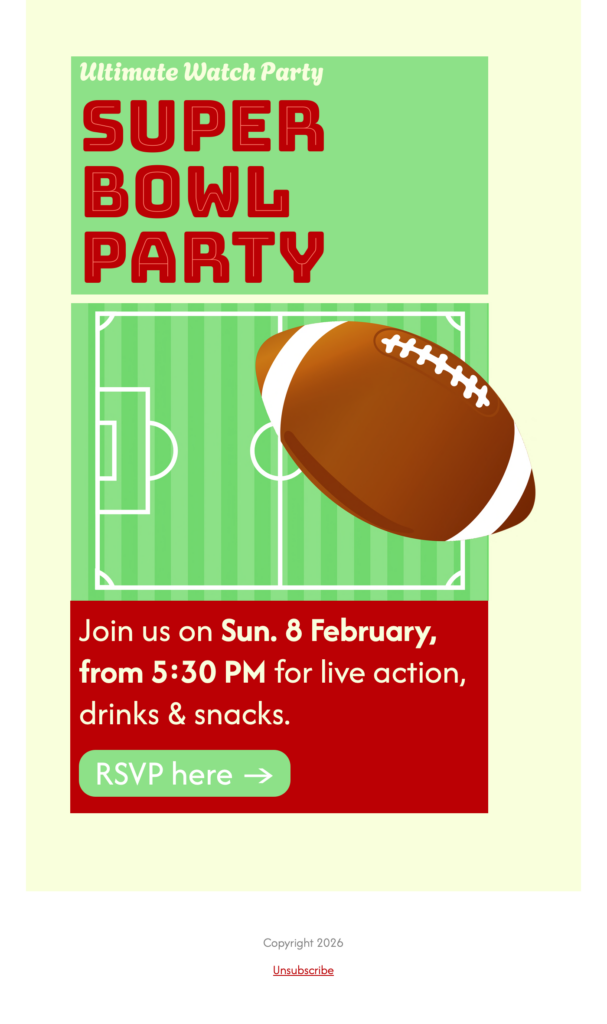
Forget messy group texts and plain emails. Our Super Bowl Party Email Template features a modern grid design, high-quality sports graphics, and a dedicated RSVP button to help you track your guest list effortlessly. Just drop in your date, time, and location, and you’re ready to play.
Exclusively available in Mail Designer 365 for Mac! Use this vibrant, high-impact Super Bowl Party email template to showcase your event details in a dedicated game-day invite. Perfect for bars, restaurants, or corporate hosts looking to promote viewing parties, catering specials, and professional sports gatherings.
Plan a complete Super Bowl party invitation
A useful Super Bowl Party Email Template should answer the practical questions guests have before game day. Replace the sample details with the event date, local kickoff time, venue address, arrival guidance, and a clear RSVP deadline. Bars and restaurants can add reservation rules, table availability, featured food or drink offers, and any age restrictions. Company hosts can include building access, guest policies, and a contact person for last-minute questions.
Keep the most important details as live text so recipients can still understand the invitation when images are blocked. The illustrated football field, bold red and green panels, prominent kickoff time, and green RSVP button already create a clear game-day hierarchy. In Mail Designer 365, adapt those colors to your venue or team theme, replace the sample wording, and make the RSVP label describe the next step.
Customize and check the invitation before sending
Use short sections for the schedule, location, food or viewing details, and RSVP instructions. Check that the date, time zone, address, booking link, and reply address all agree. Confirm the current game date and kickoff details on the official NFL Super Bowl page before sending. Send a test to desktop and mobile inboxes, confirm the button remains easy to tap, and verify that every linked destination opens correctly. Add concise alternative text to the preview and any supporting images so the message remains understandable with assistive technology.
For a public viewing party, state whether seating is first come, first served or requires a reservation. For a private event, clarify whether guests may bring someone. These details make the design useful beyond its visual theme and reduce unnecessary replies before kickoff.