
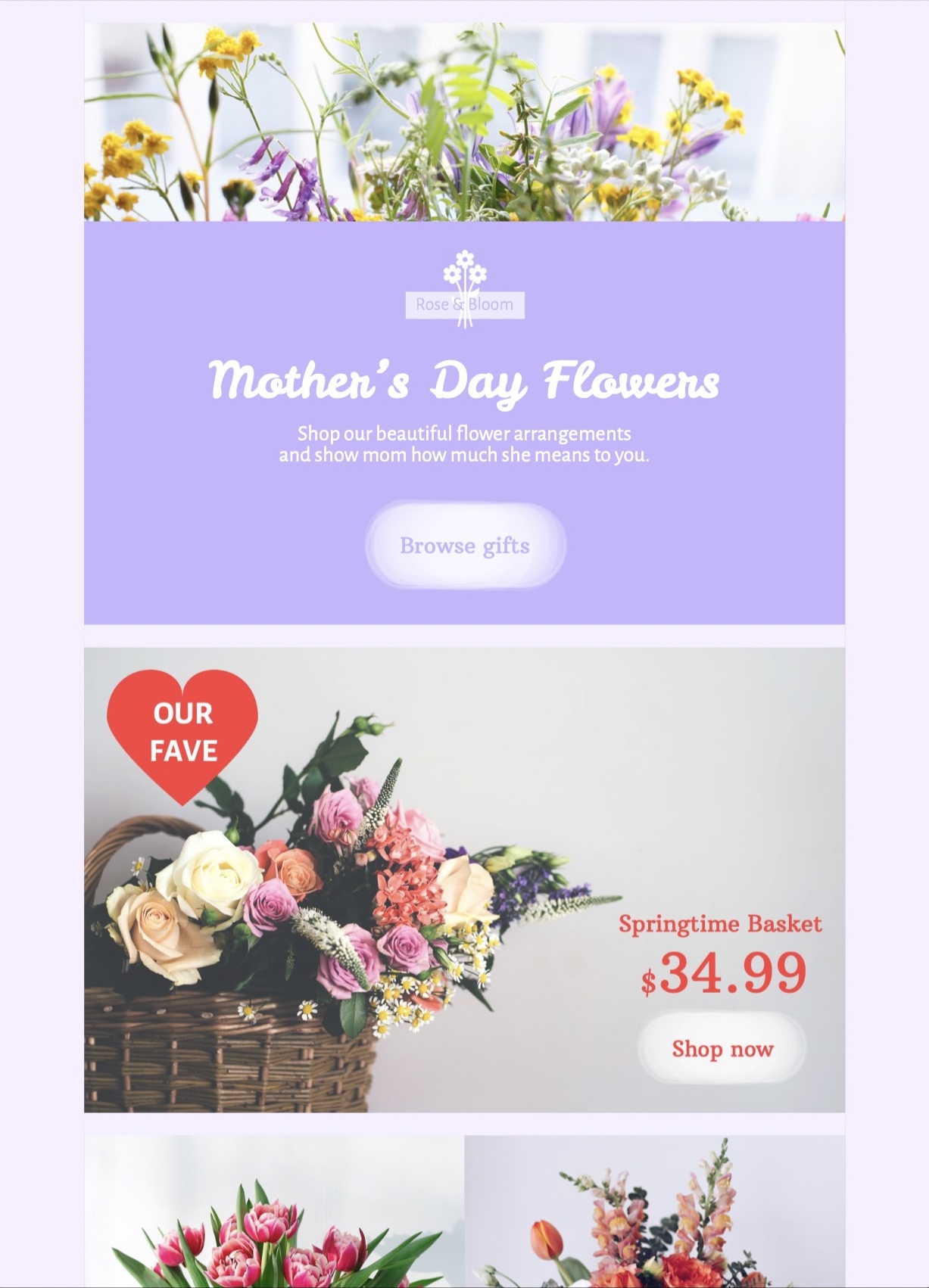
Use this Mother's Day flowers sale email template to showcase bouquets, gift arrangements, or a seasonal flower promotion. Customize the floral imagery, featured products, offer details, colors, and call to action in Mail Designer 365, then preview the responsive email before sending.
Ready to send?
You've got your email template, now it's time to send! Schedule and send emails in Delivery Hub.

Plan a Mother's Day flowers sale email around one offer
Choose the main action before editing the design: shop a featured bouquet, browse a Mother's Day collection, reserve local delivery, or redeem a clearly defined promotion. Put the benefit and deadline near the top, then send shoppers to the matching product or collection page.
Show the flowers and essential order details
The large floral photography and soft lavender panel make this layout suitable for florists, garden centers, gift shops, and other brands offering flower-related gifts. Replace the sample logo, bouquet images, product names, prices, and button label with current brand content. State delivery areas, order cutoff, pickup options, stock limits, promotion dates, and exclusions wherever they affect the purchase.
Customize the floral design in Mail Designer 365
Open the Mother's Day flowers sale email template in Mail Designer 365 and adapt the colors, typography, image crop, spacing, product selection, and destination links. Keep important prices and deadlines as live text rather than placing them only inside an image. Save a reusable master before creating versions for local stores, loyalty members, or different delivery regions.
Write a considerate Mother's Day message
Use a warm but concise introduction that fits the brand and the recipient relationship. If your audience may find Mother's Day difficult, consider offering an advance preference or opt-out for seasonal messages while keeping normal account and service emails available.
Verify accessibility, inventory, and every link
Follow W3C image accessibility guidance and add meaningful alternative text for product images, use readable type and sufficient contrast, and make the button label describe its destination. Preview mobile and desktop layouts, send a proof, open each link, and confirm prices, coupon behavior, inventory, delivery dates, sender details, tracking parameters, legal footer, preference controls, and unsubscribe link immediately before launch. Compare the final Mother's Day flowers sale email template with the live storefront so stock, pricing, delivery promises, and destination URLs agree.
Get Inspiration and the latest Tips & Tricks
Sign up for our newsletter and regularly receive loads of cool tips on all topics related to email design directly in your inbox.