
Frequently Asked Questions
Why should I cross-upgrade from Small Business?
Cross-upgrading your Small Business plan is the only way to guarantee you have access to the very best Mail Designer 365 features.
In addition to all the latest Design Ideas, a cross upgrade to Business or Business Premium also offers you some awesome new creative tools to make your email designs even better. Find out about your plan options here.
How to cross-upgrade:
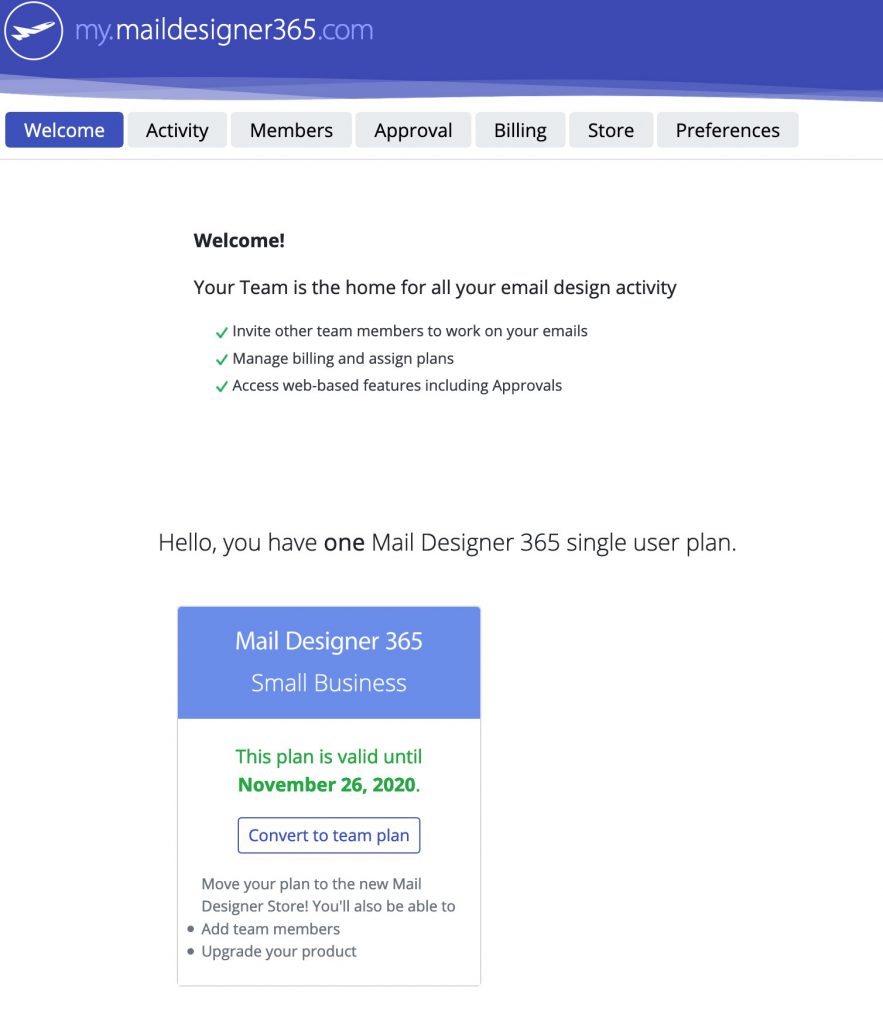
Cross-upgrading your plan is simple. Head to my.maildesigner365.com. On the start page, you will see your current plan. Click on "Convert to team plan." Then, select the plan you would like to cross-upgrade to.
 Once you've completed your purchase, your plan will be available for you to use or to assign to a team member.
Once you've completed your purchase, your plan will be available for you to use or to assign to a team member.
Need support on email design issues in Mail Designer 365? Invite us and we'll help you troubleshoot!
I’m a FileMaker developer. How can I handle billing with my client? What does my client need to pay?