
Frequently Asked Questions
If you're sure that your time with us is at an end then we've made it nice and easy to remove all your info from our database so that you don't need to wait for us to do it.
Just log in at your Privacy Manager, click 'Delete your Account' near the bottom of the page.
Please note that this action is irreversible and you will loose access to any previously bought products and service!
If your In-App purchase hasn't been activated after the purchase, please follow these steps in the Live TV App on your Mac:
‣ Open Live TV on your Mac
‣ Choose "Live TV" > "Restore Purchases" from the top menu bar
‣ Enter your Apple ID and password
You will now see a confirmation about the restored purchases.
This link will directly take you to your profile administration:
https://apple.co/2Th4vqI
You will find all running subscriptions under "Subscriptions." You can also disable the automatic extension of your subscriptions.
iOS (iPhone/iPad)
https://itunes.apple.com/de/app/id995947227?mt=8
macOS (Mac)
https://itunes.apple.com/de/app/live-tv/id715619301?mt=12
tvOS (Apple TV)
https://itunes.apple.com/de/app/id1051033237
If you bought a subscription for your iPhone, you can also run the subscription on your own iPad! As long as the devices are yours, there is no limitation on the number of devices that can run the subscription.
On all platforms, you can test the apps first. Each app runs independently. In-app purchases are purchased separately for each platform.
For the use of Live TV on iPhone / iPad, Mac and Apple TV there is TV Pro GOLD ALL-IN-1.
Why some channels are not available outside the country
The TV broadcasters themselves decide whether their streams are available outside the country. For this reason, we cannot make any statement about whether a specific channel can be received abroad.
How to check availability in the app
In some cases, availability can even vary from one program to another. That is why we have built in a detection feature: the badge shown next to the channel name indicates the status.
- Blue badge: Stream potentially available
- Gray badge: Stream not available
Watching from abroad with a German internet address
With the app VPN Tracker World Connect, you can connect to a German internet address from abroad in order to watch TV. This app can be tested for free for 24 hours:
https://itunes.apple.com/de/app/vpn-tracker-world-connect/id1117424189?mt=8
The sequence of the stations can be set via "Live TV" > "Settings" (Einstellungen). Then, under "Sender," you can use drag and drop to arrange.
You can also hide the stations that do not interest you.
From the theme collections of the TV Pro Mediathek, we also provide daily channels exclusively for the Live TV App. with 100% reportage. We propose a daily sequence of top channels in the form of a program schema. Here, our algorithm is able to select the top from the Mediatheken and high-quality media books at the main end time at 20:15.
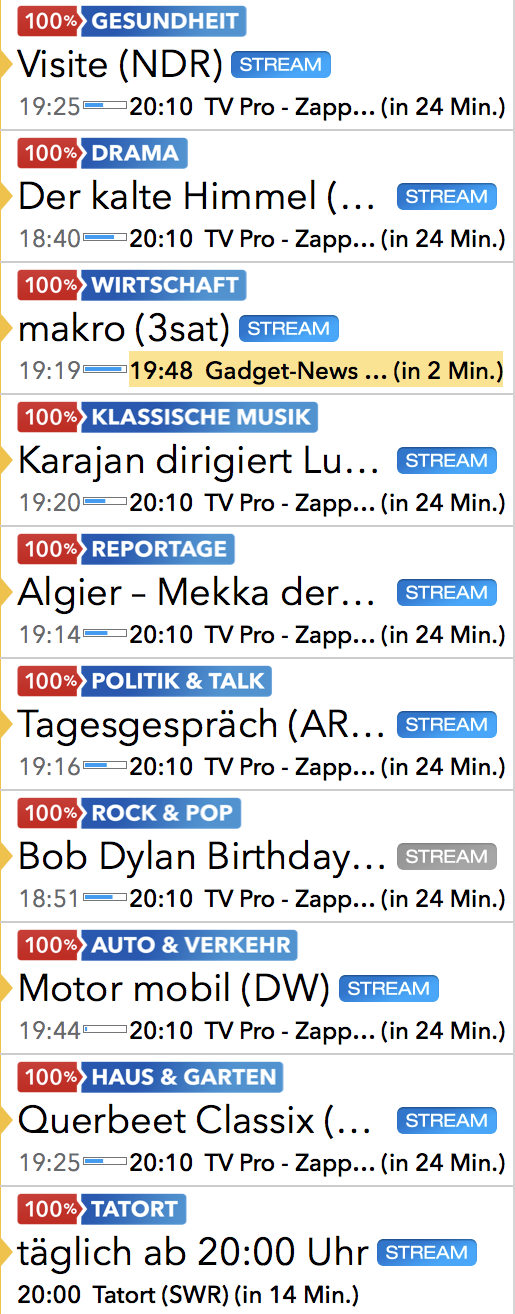
Live TV users receive these "100%" channels daily as part of the annual "My Live TV" package.
Currently, there are 16 "100% channels":
- 100% New & popular
- 100% Crime scene (daily from 8:15 pm)
- 100% Drama
- 100% Car & Traffic
- 100% Travel
- 100% Daily report
- 100% Documentaries
- 100% House & garden
- 100% Health
- 100% Cooking
- 100% Economy
- 100% Politics
- 100% Talk shows
- 100% Rock & Pop
- 100% Classical Music
- 100% Comedy
- This video may only be reproduced in Austria for legal reasons.
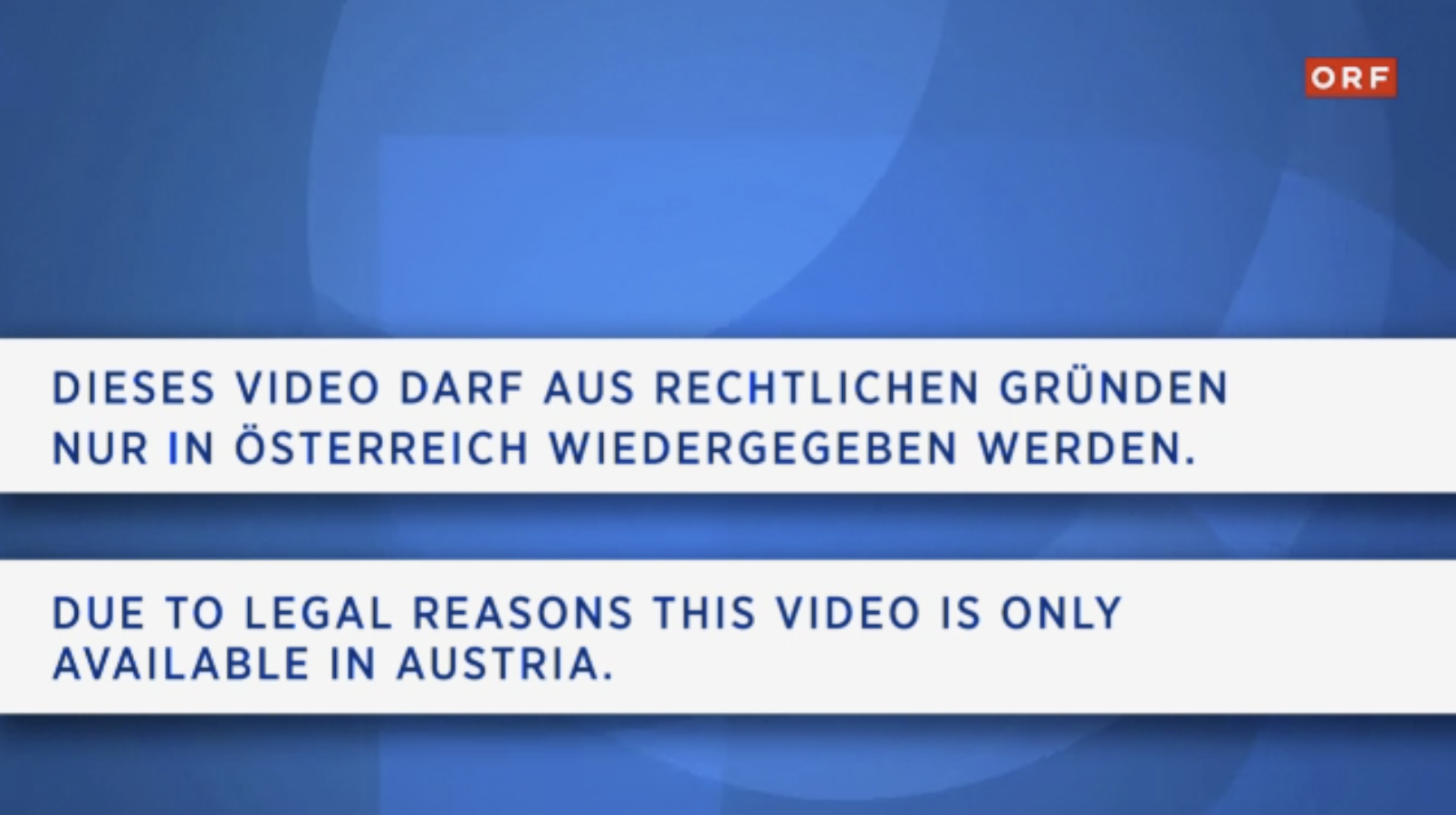
Reason: The broadcast is only broadcasted in Austria but not in other countries like Germany. - The desired live stream is currently unavailable

Reason: The broadcast is generally not broadcasted on the Internet, regardless of whether you are in Austria or not.
- Delete the Live TV app from the device. (Don't forget to empty the trash on Mac)
- Open the AppStore and download the Live TV app again from the AppStore
1. Check in which app the purchase was made
Please check in the first step in which app and on which platform you purchased the package. You can find the name of the app on the purchase receipt. Alternatively, you can also check in which app you purchased it by looking in the App Store settings under:App Store > Highlights > at the very bottom on "Apple ID: xxx" > Show Apple ID > SubscriptionsA package should be selected and active here.
2. Open app and transfer product status to TV Pro ID
Please open the app in which you purchased the package in the next step.- Please perform the following steps:
- 1. Open app
- 2. Open the store in the menu
- 3. Log in with your TV Pro ID or if you do not have a TV Pro ID yet, create a new TV Pro ID (free)
- 4. Tap "Restore Purchases"
3. Restore package on another device or in another app
To transfer your package to your second device or to another version, please follow these steps:- Open the corresponding app on the target device
- As described above, go to the Store settings and log in here with your TV Pro ID
- Tap "Restore Purchases"
- Now your package should also appear here
- TV Pro
- Live TV
- TV Pro Mediathek
- Secure purchases
- Transfer purchases
- Use features like Sync etc.
TV Pro
TV Pro for iPhone / iPad Settings > Account ("Not logged in") > Login ► Watch tutorial TV Pro Classic for iPhone / iPad Gear (Settings) > TV Pro Gold > Login TV Pro for Apple TV Menu > Settings > View packages > Log in with TV Pro IDLive TV
Live TV for iPhone / iPad Store > Login or create user account Live TV for Mac Live TV > Log in with TV Pro ID ... Live TV for Apple TV Menu > Store > Log in with TV Pro IDTV Pro Mediathek
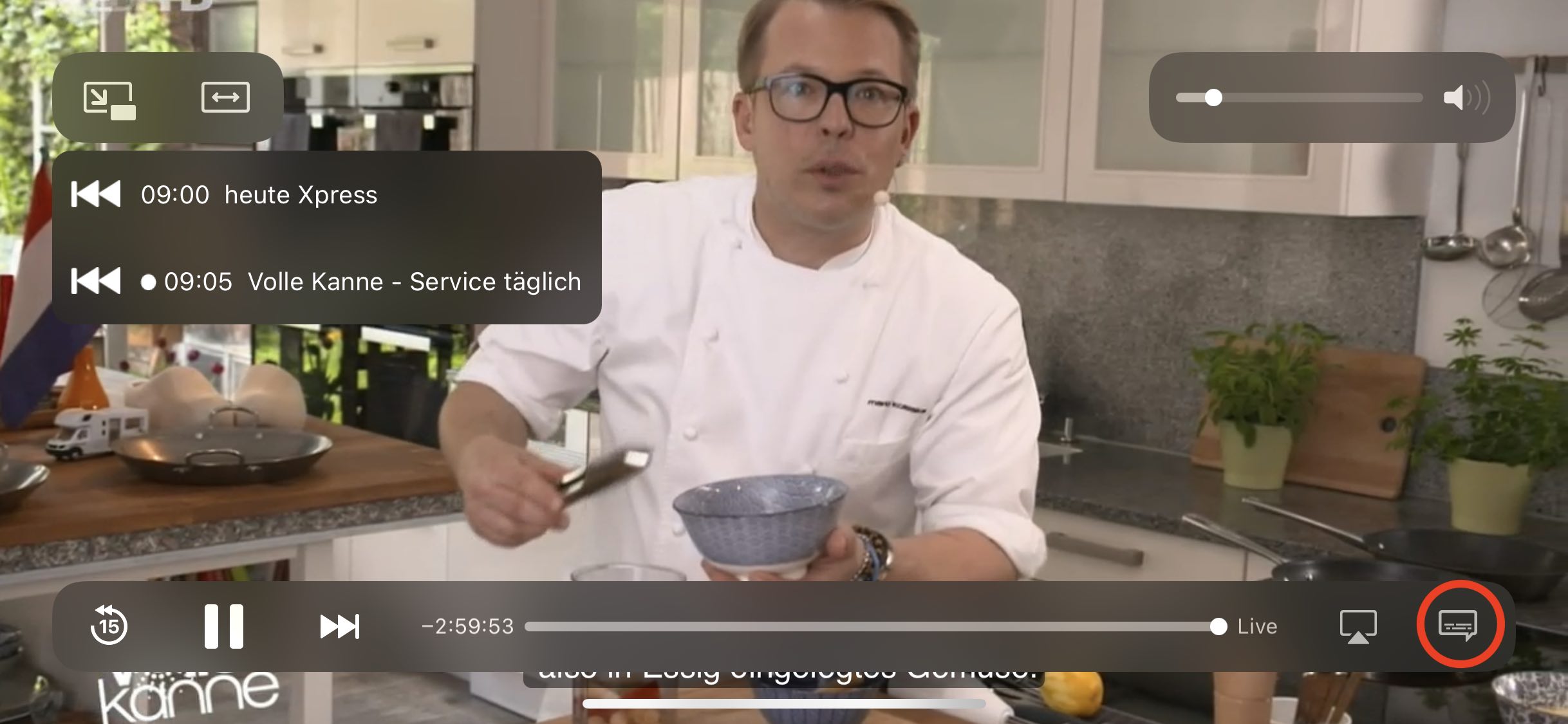
TV Pro Mediathek (also for Kids Edition) for iPhone / iPad More > Settings > TV Pro ID > Login TV Pro Mediathek for Mac TV Pro Mediathek > Log in with TV Pro ID ... TV Pro Mediathek for Apple TV Menu > Settings > View packages > Log in with TV Pro ID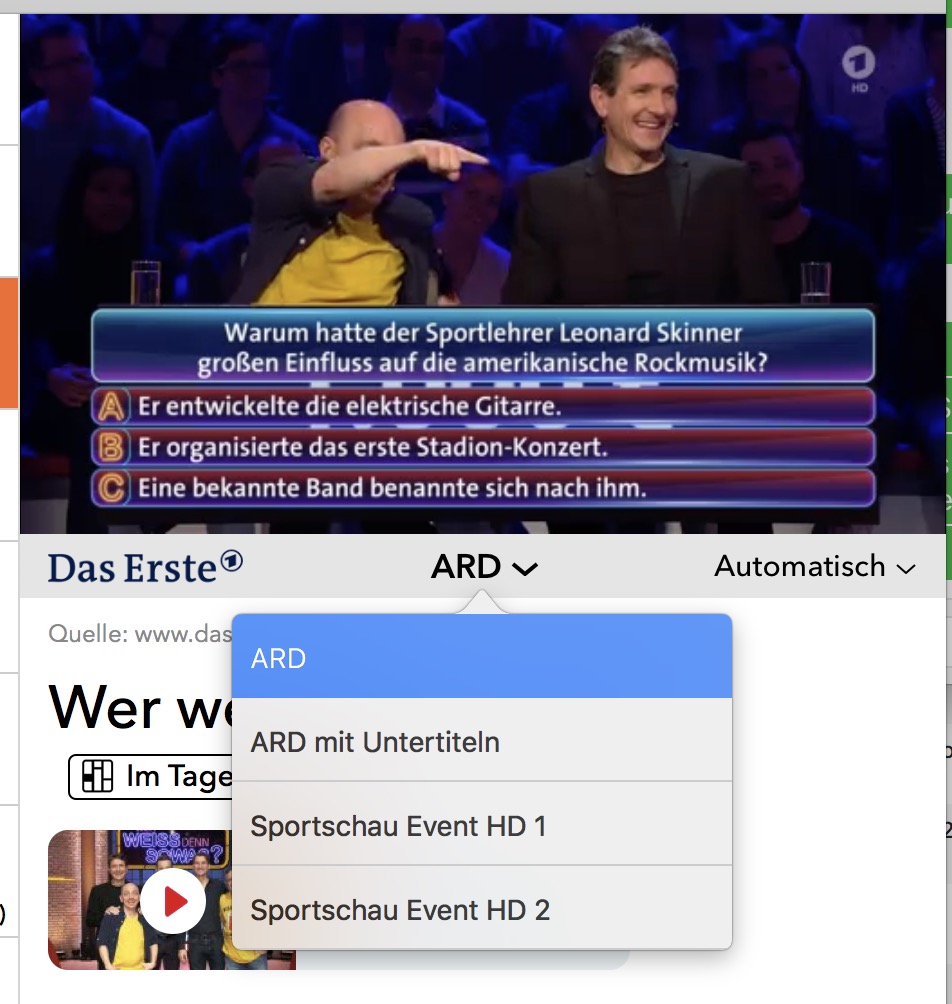 Update 2021: From now on, some channels (especially ZDF Group) send the subtitles with the normal stream. To activate subtitles, use the player's overlay, tap on the speech bubble there:
  In the "Subtitles" section, you switch the corresponding language on or off: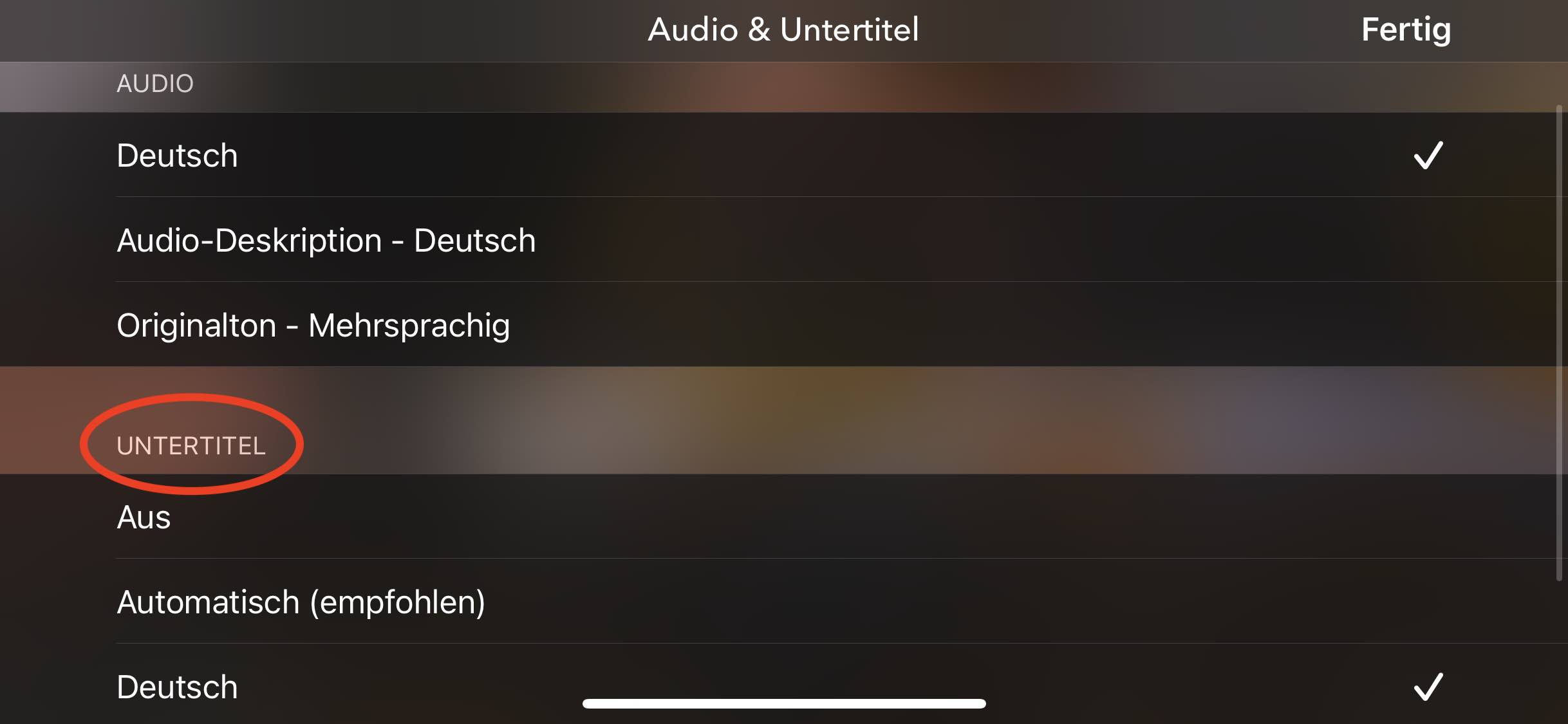
‣ Create a TV Pro ID in the app and then select "Restore Purchases"
‣ Now open the other apps in the TV Pro GOLD ALL-IN-1 package and enter the same TV Pro ID there.
‣ Logging in with your TV Pro ID will automatically recognize the TV Pro GOLD ALL-IN-1 package.
If you have problems, please delete the app from all devices and start with the device where you initially purchased the TV Pro GOLD ALL-IN-1 package. Then follow the steps above.
- Create your new TV Pro ID
- Log in to the app you used to purchase your package with your new TV Pro ID
- Select "Restore Purchases"
- Confirm that you want to transfer the package to the new TV Pro ID
You can add your own streams in Live TV that are specified in an M3U file. This M3U file consists of a list of "m3u8" streams. You create this M3U file according to your wishes and then place it on your own web server. In the home network, a local web server is sufficient, as is often supplied with NAS drives. Then you add the M3U URL in Live TV. Done!
How does the mapping to the channels work?
The m3u file must use exactly the names for the stream names that Live TV uses. You can find the exact names of the channels in Live TV under "Settings" > "Channel Selection".
I have added a stream in my m3u file, but unfortunately it does not appear. Why?
You can only specify names in the M3U file that also exist in Live TV. All other names are currently ignored by the app and not displayed. In addition, you must ensure that your streams are in the "m3u8" format. Other formats are not supported (rtmp, etc.)
Where can I find my own streams in Live TV now?
Own streams are assigned to the existing channel names. Switch to the "Stream" tab, where the channel names will appear if you have assigned a stream.
Who is the manual addition of own stream sources suitable for?
For all those who are a little more familiar with the stream subject and for whom terms like M3U are not Chinese. For all those who use a TV receiver or television in the home network that can stream the TV program further in the local network (e.g. in higher resolution) and who want to receive this program with Live TV. We therefore do not provide technical support for this feature. We explicitly point out that this feature is intended for this personal use case.
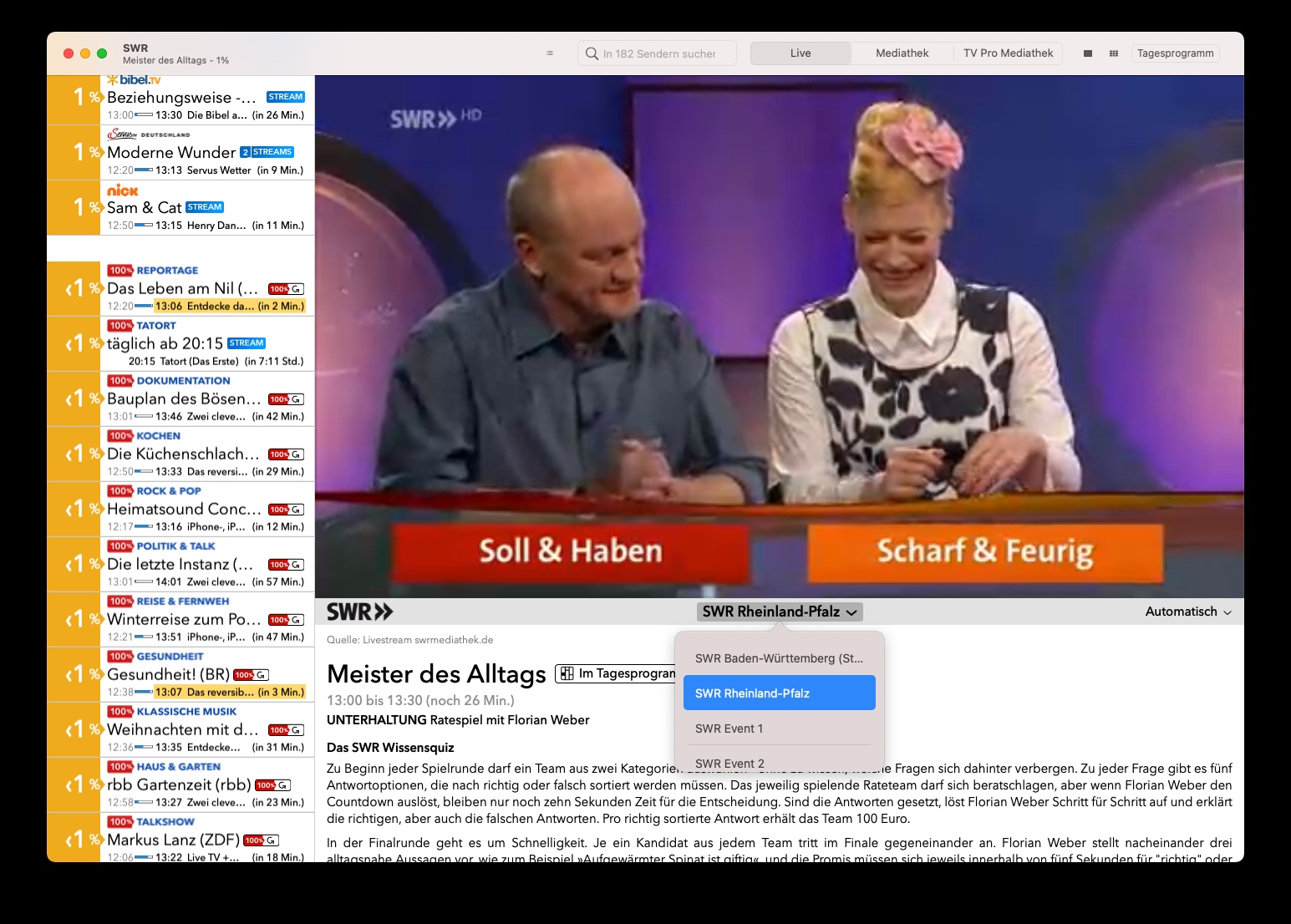 On Apple TV, you can switch to this menu by swiping right and then down on the Apple Remote.
- Please check if your speakers are working and other apps are playing sound.
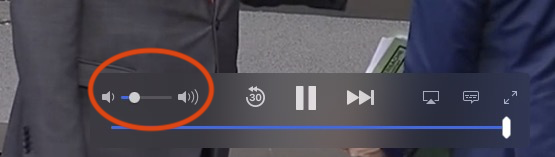
- There is a slider in the TV picture that controls the volume for the Live TV App. Please check that this slider is not set to minimum volume.
Recently, root certificates for "Let's Encrypt" expired. Apple has decided not to update root certificates for OS X versions older than macOS 10.12. This means that when apps or Safari on your Mac access websites using Let's Encrypt root certificates, they will not load correctly.
This can also cause problems when logging in to the app.
How to fix this issue- Open Safari, go to https://equinux.github.io and download the fix
- Open the profile in System Preferences and choose "Install"
- Re-launch the app and sign in again
If settings are not applied correctly in Live TV on Mac, resetting the settings may help.
Here’s how to delete Live TV Mac settings:
- Quit Live TV
- Open Programs > Utilities > Terminal
- Enter the following command
defaults delete de.livetvapp.livetvmacand press Enter
Now Live TV Mac will start “fresh” and settings should be saved correctly. Please note that you may need to log in again with your equinux ID.
I purchased a license – how do I get my access back?
If you have already made a purchase, but no account exists with your current email address, you can restore your purchases in the app: Create a new account - If you did not have an account before, create a new account in your TV Pro or Live TV app. Restore purchases - Open the app and navigate to the settings. - Select the “Restore Purchases” option. - Important: This must be done with the Apple ID with which you originally made the purchase. Use the correct app - Make sure you are using the correct version of the app. For example, if you made your purchase via the TV Pro Mediathek iOS app, you must use exactly this app to restore it. Check purchases in Apple ID - If you are unsure with which Apple ID you made the purchase, you can check this in the App Store under: Settings > Apple ID > Subscriptions. - Alternatively, you can check under Purchases in the App Store which apps are linked to your Apple ID.What to do if the restoration does not work?
If you continue to have problems: - Restart the app and try again. - Log out and log back in with your Apple ID in the App Store.If you purchased TV Pro or Live TV in the TV Pro Store (e.g. a TV Pro GOLD or ALL-IN-1 subscription), you can manage your payment option yourself at any time.
Here’s how:- Open the following link: https://store.equinux.com/storefront/subscriptions/
- Log in with the email address you used when purchasing your subscription.
- There you will find all your active subscriptions, the stored payment method and can update or change it if necessary.
If you purchased your subscription via the App Store, the payment options are managed directly via your Apple ID in the iOS settings.
Such notifications can be surprising – typical causes include restarts, updates, interrupted power connections, router restarts or a device reconnecting to the internet in the background. Use by family members can also be the trigger.
If the information in the email is plausible (e.g. provider or time), it is usually a legitimate registration – you do not need to do anything further.
However, if the information is unfamiliar to you, we recommend changing your password as a precaution.