Frequently Asked Questions
How do I only send or export the desktop version in Mail Designer 365?
To only send the desktop version of your email design, try the following:
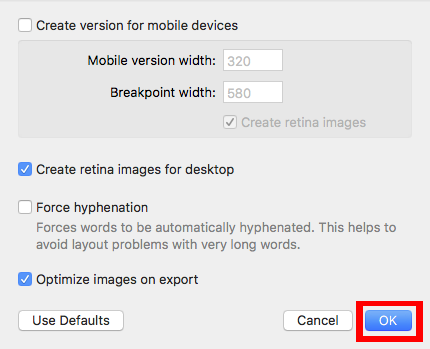
‣ Choose "File" > "Design Options..."Then, you will be able to export your email design or send via your method of choice (through Apple Mail, Campaign Monitor, MailChimp, etc).‣ Uncheck "Create version for mobile devices."
‣ Click "OK" when you are ready.