
Restaurant Promotion Email Template
Our restaurant promotion email template includes a striking hero image, large CTA, and space for a social media cross campaign, making it perfect for modern restaurants with a young target audience.
Our restaurant promotion email template includes a striking hero image, large CTA, and space for a social media cross campaign, making it perfect for modern restaurants with a young target audience.
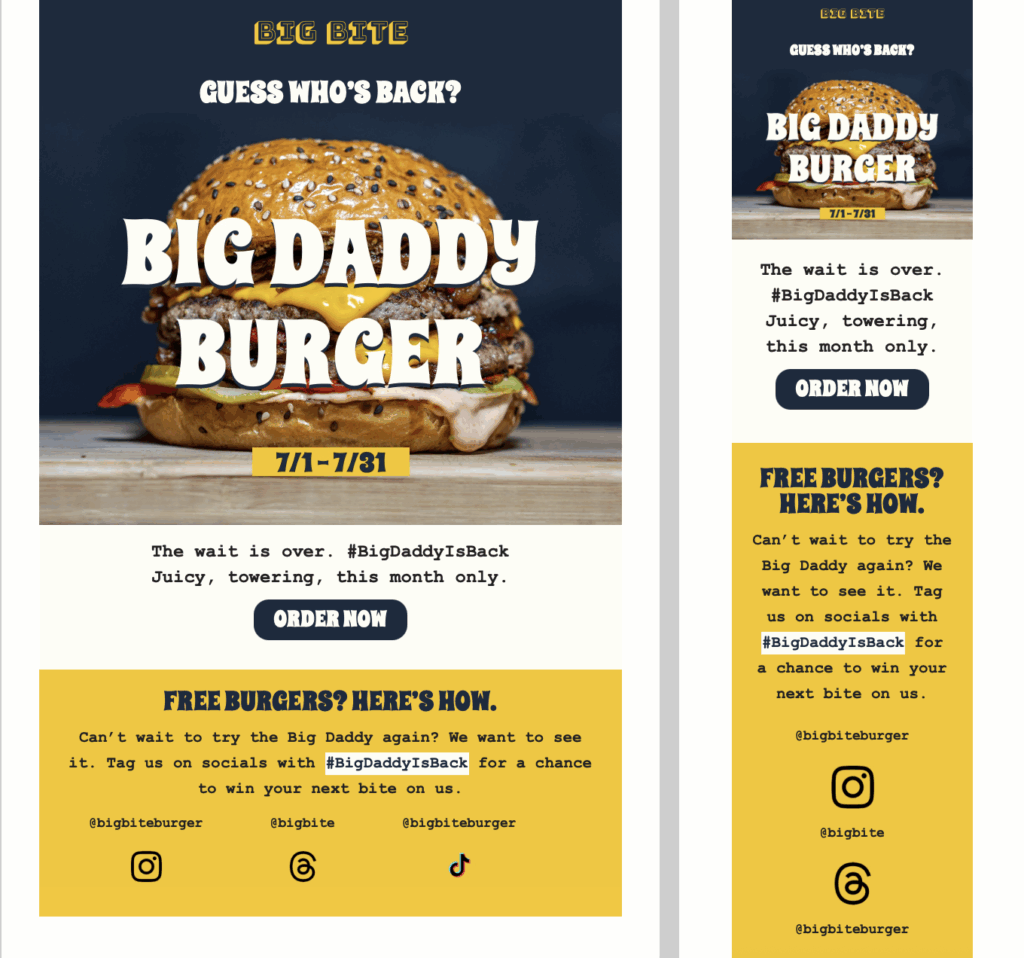
Perfect for spotlighting new, featured, or returning menu items. Use this template to tease new dishes at your restaurant, or promote limited-time offers with strong visuals and bold messaging. Exclusively available in Mail Designer 365 for Mac!
A useful Restaurant promotion email template should tell recipients why the message matters and what they should do next. Restaurant owners and marketing teams can use it for a time-limited menu, local event, loyalty offer, or reservation campaign. Replace sample copy with the exact date, deadline, location, eligibility details, and contact route that apply to your campaign. Keep essential information as live text so the message still works when images are blocked.
The preview is described as: Restaurant Promotion Email template for limited-time burger promotion – features Big Daddy Burger with double patties, cheddar, bacon, and brioche bun, headline 'Guess Who’s Back' and order button. Use that visible hierarchy as the starting point in Mail Designer 365. Adapt the palette, typography, images, and button wording to your brand while preserving a clear reading order and enough contrast for comfortable reading.
Explain the promotion, valid dates, participating location, reservation or ordering route, and important restrictions close to the primary action. Introduce the purpose early, group related details into short sections, and make the primary action easy to identify. Supporting copy should answer the questions that would otherwise generate replies, without burying the main message under generic marketing language.
Use image areas for atmosphere or product context, but do not place a critical date, price, address, or instruction only inside an image. Choose descriptive button labels that explain the destination. Where an offer has limits, state them next to the action instead of relying on a separate page to correct an ambiguous promise.
Proofread names, dates, prices, addresses, and legal or eligibility details. Test the reply address and every link, send previews to desktop and mobile inboxes, and check that alternative text explains meaningful images. Verify offer conditions, menu availability, booking links, and the destination page before the promotion is announced.
Finally, compare the email with its destination page. The headline, offer, timing, and next step should remain consistent after the click. This final check protects trust, reduces abandoned actions, and makes the template practical rather than merely decorative.