
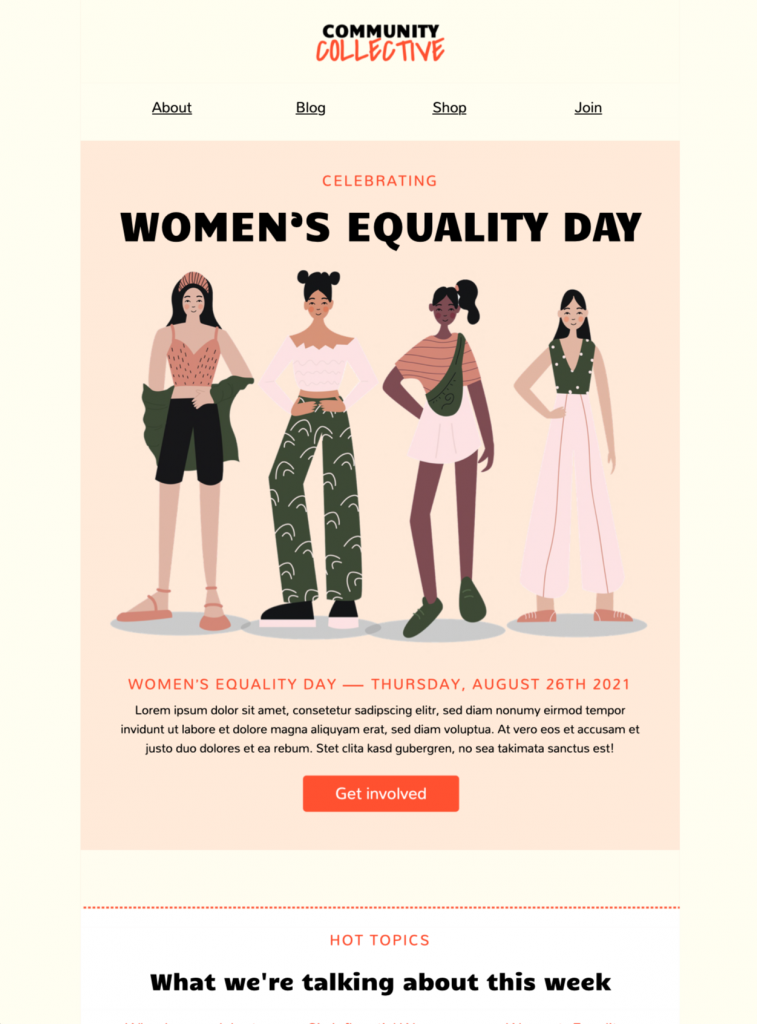
Customize This Women's Equality Day Email Template
Create a thoughtful Women's Equality Day campaign with this illustrated email template featuring four women and a bold Get involved call to action. This women's equality day email template gives nonprofits, community groups, employee networks, educators, and values-led businesses a clear starting point for an event invitation, awareness message, resource roundup, or workplace initiative.
In Mail Designer 365, customize the headline, message, images, colors, navigation links, and button destination to fit your organization. Keep the focus on one clear action, whether readers should register for an event, explore resources, support a program, or join a conversation.
Adapt the Design to Your Equality Day Campaign
Start with the audience and campaign moment. Introduce why Women's Equality Day matters to your organization, then add the practical details readers need: the date, time, location or online link, accessibility information, registration deadline, contact person, and the action you want them to take. If the email highlights several resources, use short sections and descriptive links so readers can scan the message quickly.
Match the template's illustrated style with your own brand colors and approved imagery. Use readable type sizes, sufficient color contrast, and concise headings. Mail Designer 365 lets you rearrange content blocks, update images and links, and preview the responsive layout before sending, so the campaign works consistently across desktop and mobile inboxes.
Build a Clear Message from Top to Bottom
Use the opening block to state the purpose of the email in one or two sentences. Follow it with the most important event, program, or educational information, then place the primary button where readers can act without searching. If the campaign includes speakers, partners, or employee groups, introduce them briefly and link to a dedicated page for full biographies or background. This keeps the email focused while still giving interested readers a path to more detail.
Choose a subject line and preheader that accurately reflect the message instead of relying on vague promotional language. For an event invitation, mention the event and date. For an awareness or resource campaign, name the topic and the value readers will find inside. Avoid promising outcomes the email cannot support, and make sure the sender name is recognizable to your audience.
Before sending, ask someone who was not involved in creating the campaign to review it. They can spot unclear wording, missing context, broken links, or assumptions that the intended audience may not share. A short review also helps ensure the message is inclusive, respectful, and aligned with your organization's approved language. After corrections, review the women's equality day email template as a whole, then send a final test to desktop and mobile inboxes and verify that the call to action remains visible and understandable.
Check Every Detail Before Sending
The preview contains a sample Thursday, August 26th 2021 date, Community Collective branding, navigation links, and placeholder body copy. Replace every sample element with current, accurate information. Confirm that event dates and time zones are correct, each navigation item leads to a useful destination, and the main call to action describes what happens after the click.
Keep essential information as live text instead of placing it only inside an image. Add descriptive alt text to meaningful images, test every link, and follow W3C image accessibility guidance so the message remains understandable when images are blocked. Send a test to colleagues, review the mobile version, and check the final sender name, subject line, preheader, unsubscribe link, and company details before launching the campaign.
Key Features:
- Customize text, images, colors, links, and the call to action in the drag-and-drop editor
- Preview the responsive layout before sending
- Send the finished campaign through Mail Designer 365