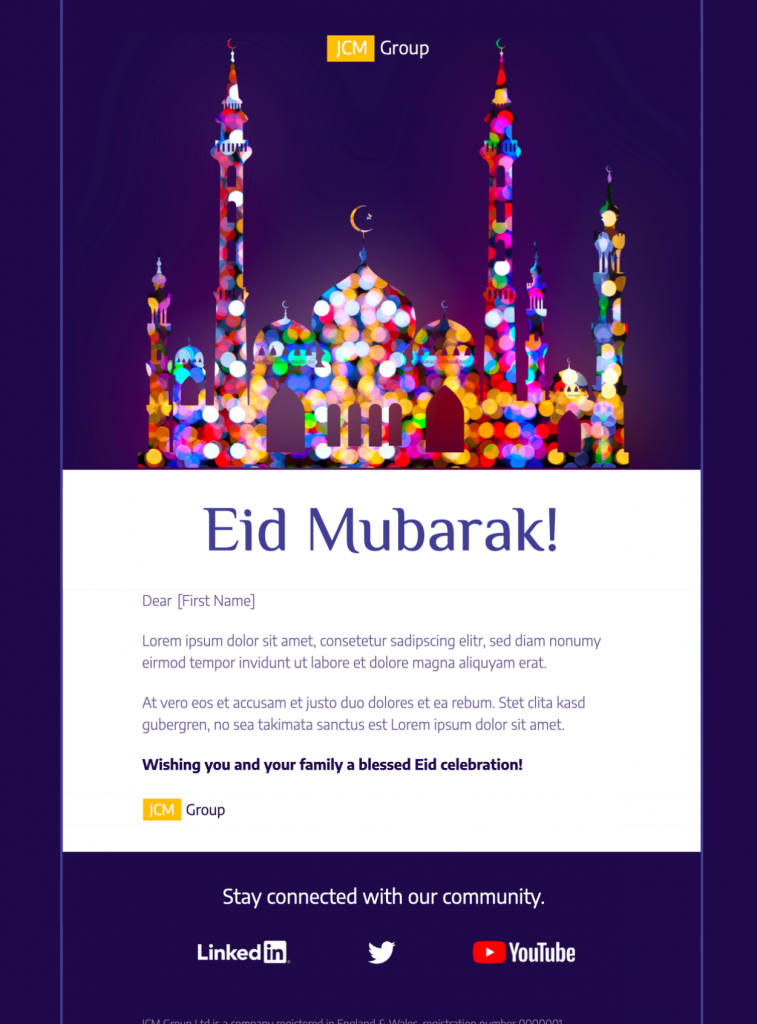
Plan a Respectful Eid Mubarak HTML Email Template
An Eid greeting should feel warm, considerate, and appropriate for the audience receiving it. Decide whether the message is a simple seasonal greeting, a community invitation, or a promotion before editing the design. Keep the purpose clear so recipients can understand the email quickly without the celebration being overshadowed by unrelated content.
Include the Essential Campaign Details
Add the sender name, greeting, relevant dates, offer conditions, event information, and one clear next step. If the campaign includes a discount, state the eligible products, end time, geographic limits, and redemption method close to the call to action. For an invitation, include the location or meeting link, start time, registration deadline, and contact details.
Customize the Template for Your Audience
Replace the sample logo, colors, typography, and message with elements that suit your organization. Use a greeting that matches the relationship you have with recipients, and avoid making assumptions about how every subscriber observes Eid. Mail Designer 365 lets you adjust the layout, imagery, text, and buttons while keeping the email responsive across common desktop and mobile screen sizes.
Preview and Test Before Sending
Send a proof to colleagues and check the subject line, preview text, sender name, personalization fallbacks, dates, prices, and every link. Review the design with images enabled and blocked, and test long names or translated copy where relevant. Confirm that the main information remains readable on a small screen and that the call to action leads to the intended destination.
Make the Greeting Easy to Read
Use descriptive button text, readable type sizes, sufficient color contrast, and concise image alt text guided by the W3C image decision tree. Do not place the greeting, offer conditions, dates, or instructions only inside an image. A logical reading order and focused message help more recipients understand and use the finished campaign.
Use this Eid Mubarak HTML email template as a practical starting point, then tailor every detail to the audience and purpose of your campaign. A thoughtful message, accurate information, and thorough testing are more valuable than adding extra sections that distract from the greeting.