
Order Confirmation HTML Email Template: 5 Tips for Better Emails

Looking for a ready-to-use order confirmation HTML email template to enhance your customer communication? This professionally designed HTML template helps you send clear, stylish, and mobile-friendly confirmation emails that reflect your brand. Whether you’re running an online shop or a digital service, use this template to reassure customers and keep them informed after every purchase. Designed in Mail Designer 365 for easy customization and seamless email delivery.

Use Clear Transaction Details

Place the order number, purchase date, payment status, delivery address, and expected dispatch information where customers can scan them quickly. Add a concise support path for corrections and explain when tracking details will follow. Before launch, send realistic test purchases through every checkout route and confirm that taxes, discounts, quantities, product variants, and customer placeholders render correctly on desktop and mobile devices.
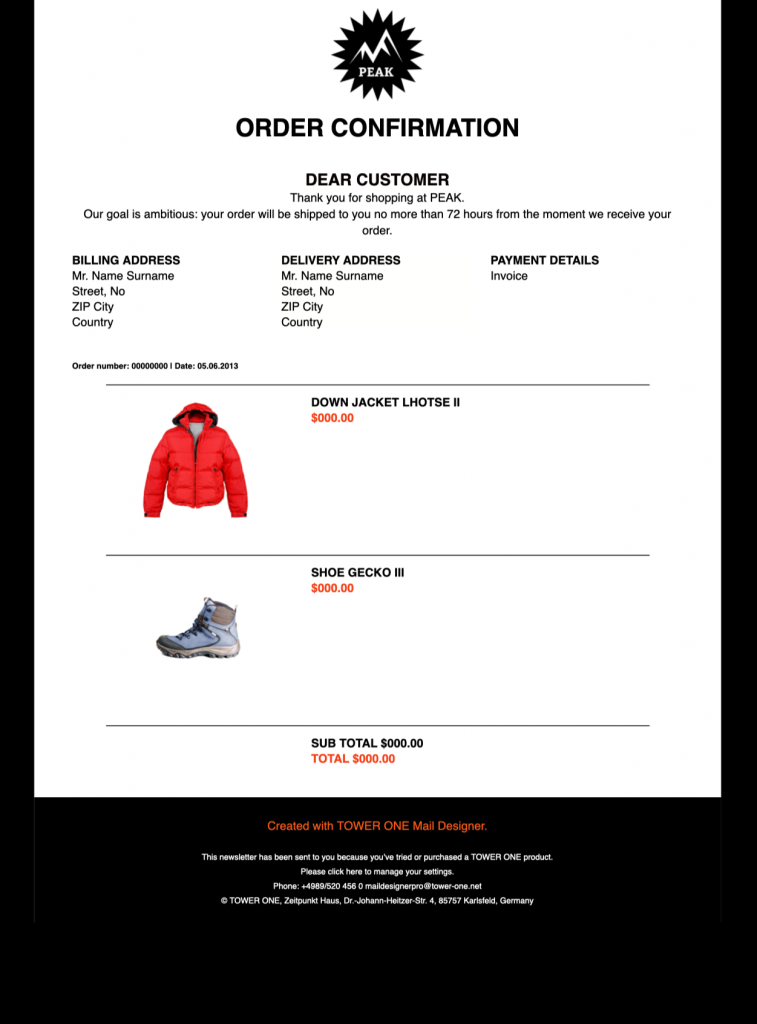
Order confirmation HTML email template showing responsive purchase details for the PEAK brand

Professional Order Confirmation HTML Email Template for Your Online Store

Create fully branded HTML order confirmation emails quickly and easily — no coding required. Mail Designer 365 makes it possible!

Key Features:

  • Customize the design on your Mac
  • Transactional order-confirmation layout
  • Customise for your business with drag-and-drop editor
  • Mobile responsive design
  • Send to your audience via Mail Designer 365
  • Cross-platform collaboration with Crew Chat

What to Include in an Order Confirmation Template

Give customers the essential purchase details at a glance: the order number, item names, quantities, prices, taxes, delivery method, billing information, and expected next step. Keep support contact details easy to find so recipients can quickly correct an address or ask about their purchase.

Reassure Customers After Checkout

A confirmation email should arrive promptly and clearly state that the order was received. Use a recognizable sender name, a direct subject line, and concise copy. If an item still requires approval, payment, or preparation, explain that status accurately instead of implying the order has already shipped.

Customize the Template for Your Brand

Replace the sample logo, colors, product details, and call to action while keeping the receipt information prominent. Use placeholders for customer and order data, and include links to account details, delivery tracking, returns information, or support only when they are relevant to the transaction. Avoid distracting promotional blocks above the confirmation details.

Preview and Test Every Purchase Path

Test the finished order confirmation HTML email template with desktop and mobile layouts, long product names, multiple items, discounts, taxes, and different delivery options. Verify every dynamic field and link with sample orders before connecting the design to your commerce workflow. A complete test helps prevent missing values and confusing follow-up messages. Follow Google’s email sender guidelines when configuring delivery.

Privacy Settings / Datenschutz-Einstellungen