Frequently Asked Questions
I'm a reseller. How can I transfer VPN Tracker 365 plans to my customers?
License management for Resellers is performed as follows:
- Go to my.vpntracker.com and log in with your reseller ID
- Navigate to the Reseller section in the left hand menu, here you will see all of your orders and the plans you purchased with each order.
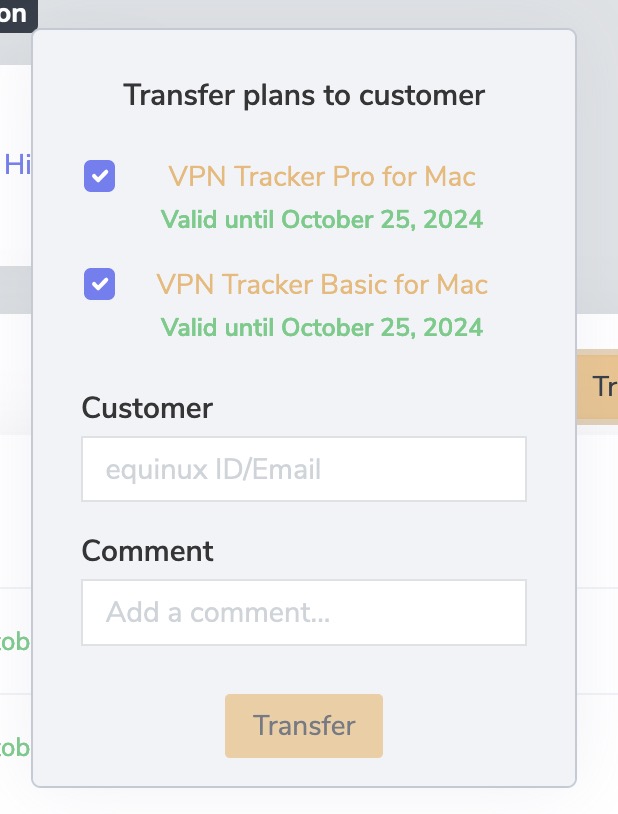
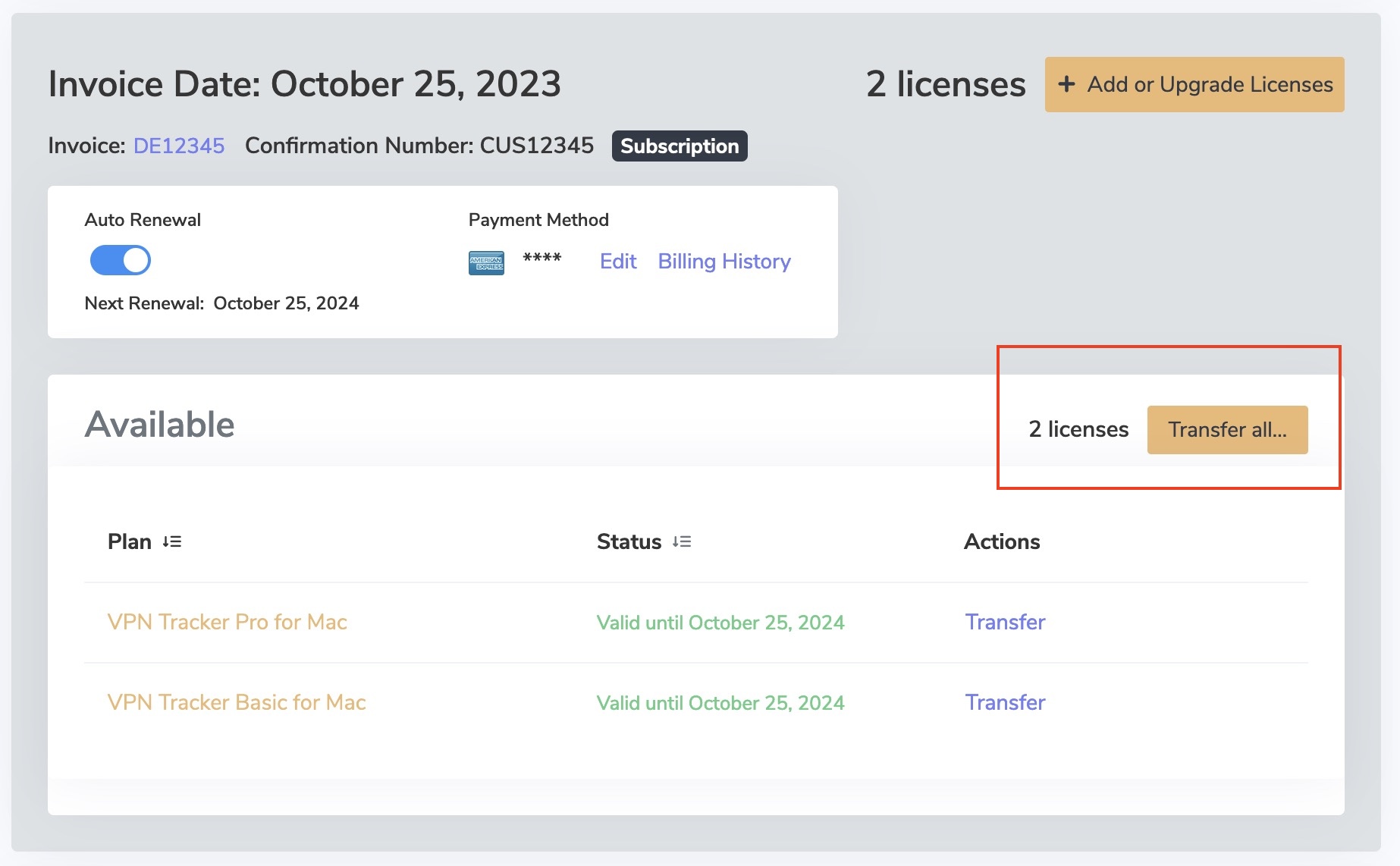
- Next to the license(s) you want to Transfer to a customer select "Transfer all..."
Please note, this button will only appear if the license is available for transfer.
- Enter the email address of the customer you are transferring the licenses to and press "Transfer".